Table of contents
- What is AI workflow design?
- Why AI projects fail when workflow design is skipped
- Why process mapping should come before tool selection
- Mapping people, systems, data, decisions and exceptions
- Current-state vs future-state workflows
- Identifying automation boundaries
- Designing human review points
- Example: redesigning a customer support workflow
- Example: redesigning a finance process
- How workflow design improves AI ROI
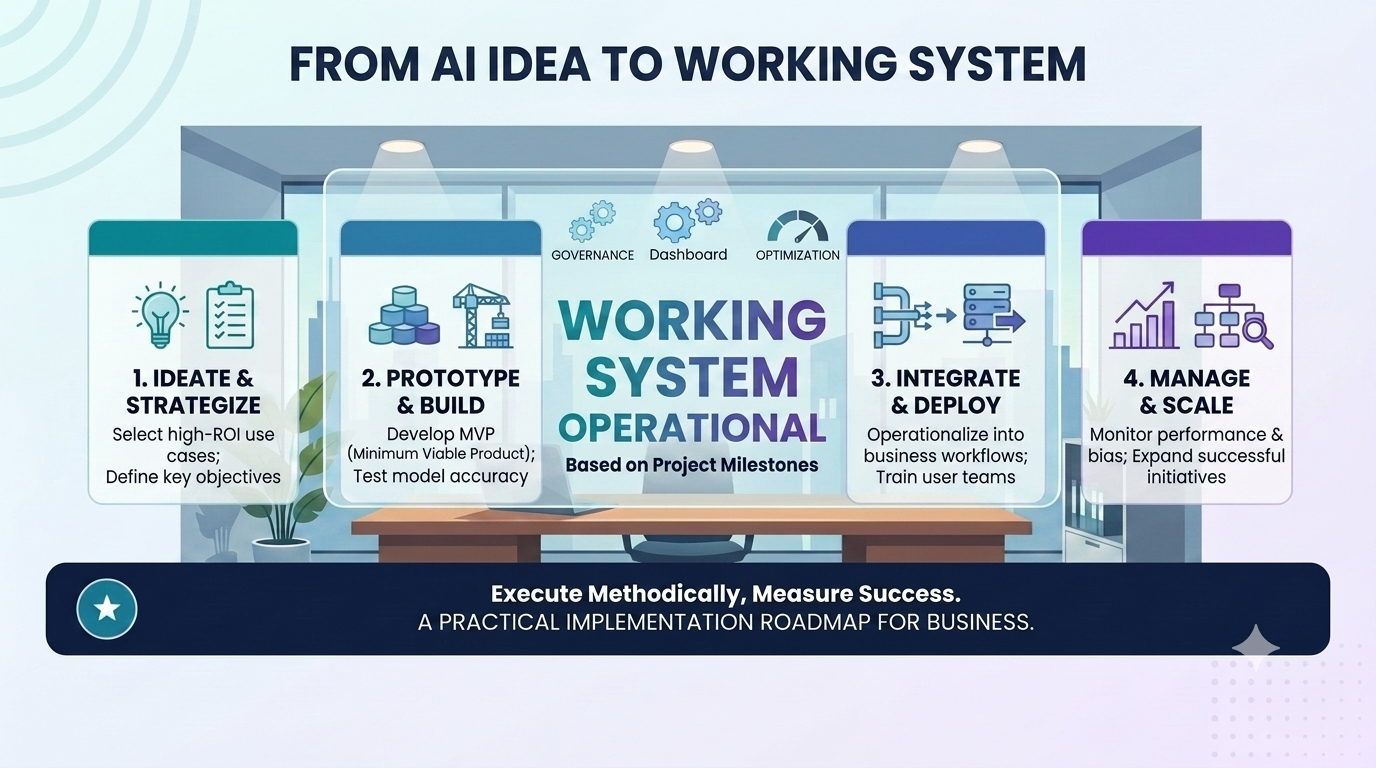
- Implementation framework for AI workflow design
- Security, governance and auditability
- How Greenhat can help
- Conclusion
- FAQs
Many businesses now know they want to use AI. Fewer know exactly where it should be used, what workflow it should improve, which systems it needs to access, which decisions it should make, and where human review is still required.
That gap is where many AI projects become expensive experiments.
The issue is rarely that the AI model is not powerful enough. More often, the issue is that the business has not clearly defined the workflow it wants AI to improve. The process is unclear, exceptions are handled informally, data lives in multiple systems, approval rules are undocumented, and the team has different views of how the work actually happens.
AI workflow design solves this problem.
Before choosing tools, building agents or implementing automations, businesses need to understand the process. That means mapping the people, systems, data, decisions, handovers, approvals, exceptions and outputs involved in the workflow.
For mid-sized and large organisations, this is especially important. AI implementation is not simply a technology decision. It is an operational design decision.
This article explains why AI workflow design should come before AI implementation, how process mapping improves ROI, and how businesses can design AI-enabled workflows that are practical, secure and commercially valuable.
What is AI workflow design?
AI workflow design is the process of mapping, redesigning and implementing business workflows so AI can perform useful tasks within clear operational boundaries.
In simple terms, it answers questions such as:
- What work is being done?
- Who is involved?
- Which systems are used?
- What data is required?
- What decisions are made?
- Which tasks can AI safely perform?
- Which tasks require human approval?
- What happens when something goes wrong?
- How will the business measure success?
AI workflow design is not the same as choosing an AI tool. It comes before tool selection.
A business may eventually use an AI agent, workflow automation platform, custom application, API integration, dashboard, cloud service or off-the-shelf AI product. But the technology should be selected after the workflow is understood.
Without workflow design, AI implementation can become disconnected from real business operations. The business may automate the wrong step, introduce new risks, duplicate existing work, or build something staff do not trust or use.
Good AI workflow design makes the work visible before the technology is built.
Why AI projects fail when workflow design is skipped
AI projects often fail because they begin with a tool instead of a workflow.
A leadership team may decide to “implement AI” after seeing a demonstration, using ChatGPT internally, attending a conference, or responding to pressure from competitors. The business then starts looking for software, agents or automation platforms before clearly defining the operational problem.
That creates several common issues.
1. The business automates unclear work
Many workflows are not formally documented. Staff know how work gets done, but the process may rely on experience, informal workarounds, inbox habits, spreadsheets, manual checks and undocumented judgment.
If the workflow is unclear, AI has no stable process to improve.
For example, a finance team may say it wants to automate invoice processing. But the real workflow may include supplier validation, purchase order matching, cost centre approval, duplicate detection, exception handling, budget review, payment scheduling and escalation to managers.
If these steps are not mapped, an AI solution may only address document extraction while leaving most of the operational burden untouched.
2. The wrong problem is solved
A business may assume that the problem is content generation, ticket response, invoice reading or data entry. But the real issue may be approval bottlenecks, poor system integration, inconsistent decision rules, missing data, duplicate systems or unclear ownership.
AI workflow design helps identify the actual constraint.
For example, a customer service team may think it needs an AI chatbot. But process mapping may reveal that the real issue is slow escalation between support, operations and finance. In that case, an AI triage and routing workflow may create more value than a customer-facing chatbot.
3. AI outputs cannot be trusted
AI systems need context. They need access to reliable data, defined rules, current documents, appropriate permissions and clear review requirements.
If workflow design is skipped, the AI may generate plausible but incomplete outputs. Staff then spend time checking, correcting or ignoring the system.
This reduces adoption and weakens ROI.
4. Exceptions are ignored
Most business processes are not made up of neat, repeatable cases. They include exceptions.
Examples include:
- A customer with a special contract term
- An invoice that does not match the purchase order
- A student at academic risk
- A compliance issue that needs escalation
- A sales opportunity requiring custom pricing
- A support ticket involving legal or reputational risk
- A supplier with incomplete documentation
AI workflow design identifies which exceptions can be handled automatically, which need escalation, and which should remain fully human-managed.
5. Integration requirements are underestimated
Enterprise AI is rarely useful in isolation.
To create real operational value, AI often needs to connect with CRMs, ERPs, LMSs, finance systems, help desks, databases, document repositories, inboxes, dashboards and workflow tools.
If the workflow is not mapped, integration requirements are often discovered too late. This can increase project cost, delay implementation and reduce the usefulness of the system.
6. ROI becomes difficult to prove
If the original workflow was not measured, it becomes difficult to prove improvement.
AI workflow design creates a baseline. It helps the business understand how much time the process currently takes, where errors occur, where delays happen, how many exceptions arise, and what each step costs.
Without that baseline, ROI becomes anecdotal.
Why process mapping should come before tool selection
Tool selection should be a response to workflow requirements, not the starting point.
A business may be able to use an off-the-shelf AI tool for simple use cases such as drafting, summarisation, meeting notes or basic research. But for operational workflows, the right solution depends on the process.
Process mapping helps determine whether the business needs:
- A simple automation
- A custom AI workflow
- An internal AI agent
- A dashboard or reporting layer
- API integrations between existing systems
- A custom application
- Human-in-the-loop approval functionality
- Secure cloud infrastructure
- Audit logging and governance controls
- A combination of the above
The table below shows how workflow clarity affects technology selection.
| Workflow finding | Likely technology implication |
|---|---|
| Repetitive rules-based task | Traditional automation may be enough |
| High-volume document review | AI classification, extraction or summarisation may help |
| Multiple systems involved | API integrations or middleware may be required |
| Sensitive decisions | Human-in-the-loop approval is needed |
| Frequent exceptions | Escalation rules and exception handling must be designed |
| Poor reporting visibility | Dashboard or business intelligence layer may be required |
| Legacy systems involved | Custom integration or data access strategy may be required |
| Compliance requirements | Logging, permissions and audit trails become essential |
In other words, the workflow tells the business what to build.
A tool-first approach asks, “What can this technology do?”
A workflow-first approach asks, “What business process are we improving, and what technology is required to improve it safely and measurably?”
For established businesses, the second question is far more useful.
Mapping people, systems, data, decisions and exceptions
Effective AI workflow design requires more than drawing a simple process diagram.
A useful map should show how work actually moves through the business. It should include formal steps, informal workarounds, data sources, approval rules, system handovers and failure points.
People
Start by identifying everyone involved in the workflow.
This may include:
- The person who initiates the process
- Internal staff who complete tasks
- Managers who approve decisions
- Customers or clients who submit information
- Suppliers or partners who provide documents
- Compliance or finance reviewers
- IT or operations staff who maintain systems
- Executives who rely on reporting outputs
People matter because AI implementation often changes responsibilities. It may reduce manual work, but it can also create new review, monitoring or exception-handling roles.
Systems
Next, map the systems involved.
These may include:
- CRM
- ERP
- Finance system
- Help desk
- LMS
- HRIS
- Document management system
- Email inbox
- Spreadsheets
- Internal databases
- Cloud storage
- BI dashboards
- Workflow management tools
- Custom applications
For enterprise AI, disconnected systems are often one of the biggest barriers to useful implementation. AI may need to read from one system, write to another, trigger a workflow in a third, and report outcomes in a dashboard.
Data
AI workflow design should identify what data is needed at each step.
This includes:
- Customer data
- Transaction data
- Policy documents
- Product information
- Historical cases
- Support tickets
- Contracts
- Assessment records
- Supplier records
- Financial data
- Staff records
- Compliance evidence
It should also identify whether the data is structured or unstructured.
Structured data is usually stored in defined fields, such as customer records, invoice amounts or status codes. Unstructured data includes emails, PDFs, call notes, contracts, policies and support conversations.
AI can be especially useful when workflows involve high volumes of unstructured information, but only if data access, permissions and validation are designed properly.
Decisions
Many workflows involve decisions, even if they are not formally described as decision points.
Examples include:
- Should this ticket be escalated?
- Is this invoice ready for approval?
- Does this customer qualify for a discount?
- Is this document compliant?
- Should this lead be prioritised?
- Is this student at risk?
- Does this matter need legal review?
- Is this exception within policy?
Some decisions can be automated. Others should be supported by AI but approved by humans. Some should remain entirely human-led.
Mapping decision points is essential for safe AI implementation.
Exceptions
Exceptions are where many automation projects break.
A good AI workflow design process identifies:
- What can go wrong
- Which cases fall outside normal rules
- What information is missing
- Who needs to be notified
- When a human must intervene
- How exceptions are recorded
- How recurring exceptions are analysed
For example, an AI agent may be able to classify most customer support tickets. But if a ticket includes a legal threat, safety issue, high-value customer complaint or unusual refund request, the workflow should escalate it to a human.
Exception handling is not a minor detail. It is a core part of enterprise AI design.
Current-state vs future-state workflows
AI workflow design usually requires two maps: the current state and the future state.
Current-state workflow
The current-state workflow shows how the process works today.
It should capture:
- Manual steps
- System handovers
- Data entry points
- Bottlenecks
- Approval delays
- Duplicate work
- Rework
- Error-prone tasks
- Informal staff workarounds
- Reporting gaps
- Compliance risks
The goal is not to create a perfect theoretical diagram. The goal is to understand operational reality.
This often requires speaking with the people who do the work, not just the people who manage the work.
Future-state workflow
The future-state workflow shows how the process should work after AI implementation.
It should define:
- Which tasks AI performs
- Which tasks humans perform
- Which systems are integrated
- What data AI can access
- What outputs are generated
- Where approvals occur
- How exceptions are escalated
- What is logged
- What metrics are measured
- How reporting improves
The future-state workflow should be practical. It should not assume that AI will remove all human involvement.
In many enterprise settings, the best outcome is not full automation. It is a better division of labour between people, software and AI.
Identifying automation boundaries
One of the most important parts of AI workflow design is defining automation boundaries.
An automation boundary describes what the AI system is allowed to do, and what it is not allowed to do.
This matters because AI is not equally appropriate for every task.
Tasks AI may be well suited to
AI may be useful for:
- Summarising long documents
- Classifying incoming requests
- Extracting information from emails or PDFs
- Drafting responses for human review
- Matching records across systems
- Identifying missing information
- Detecting anomalies
- Prioritising work queues
- Generating reports
- Creating first-draft analysis
- Recommending next actions
- Triggering workflow steps
- Searching knowledge bases
- Preparing briefing notes
Tasks that may require human approval
Human approval is often needed for:
- Financial approvals
- Employment decisions
- Compliance sign-off
- Legal risk decisions
- Customer refunds above a threshold
- High-value contract changes
- Clinical, safety or welfare-sensitive decisions
- Exceptions outside policy
- Actions affecting customer rights or obligations
- Public-facing communications in sensitive matters
Tasks that may not be appropriate for AI
AI may not be appropriate where:
- The decision requires human empathy or professional judgment
- The data is too incomplete or unreliable
- The risk of error is too high
- The decision is legally or ethically sensitive
- The organisation cannot validate the output
- The workflow has not been standardised
- The business cannot monitor or audit the system
AI workflow design helps identify these boundaries before implementation begins.
This protects the business from over-automation.
Designing human review points
Human-in-the-loop AI is essential for many enterprise workflows.
A human review point is a defined step where a person checks, approves, edits, rejects or escalates an AI-generated output or recommendation.
Human review should not be vague. It should be designed into the workflow.
Where human review may be needed
Review points may be required when:
- AI confidence is low
- Required data is missing
- The matter involves a high-value customer
- The output affects a financial decision
- The issue involves compliance or legal risk
- The AI detects unusual circumstances
- The action is irreversible
- The communication is sensitive
- The workflow involves vulnerable people
- The decision falls outside normal policy
What reviewers need to see
For human review to work properly, staff need clear information.
A review screen or workflow task should ideally show:
- The AI-generated output
- The source data used
- The reason for the recommendation
- Confidence level or risk flag, where useful
- Relevant policy or business rules
- Previous related records
- Suggested next action
- Options to approve, edit, reject or escalate
- A record of the final human decision
The goal is not simply to insert a human as a rubber stamp. The goal is to give the reviewer enough context to make a better decision faster.
Why review points improve adoption
Human review points increase trust.
Staff are more likely to use AI systems when they understand where AI assists, where humans remain accountable, and how errors can be corrected.
This is especially important in businesses with compliance obligations, complex customer relationships, professional services delivery or high operational risk.
Example: redesigning a customer support workflow
Scenario
A mid-sized business receives hundreds of customer support enquiries each week through email, website forms and a help desk platform. The team manually reads, categorises, prioritises and routes each ticket.
Problem
The current workflow has several issues:
- Tickets are inconsistently categorised
- High-priority issues are sometimes missed
- Staff spend too much time summarising long customer emails
- Similar questions are answered repeatedly
- Escalations to finance, operations or technical teams are slow
- Managers lack real-time visibility of complaint themes
- Reporting is manual and retrospective
The business initially considers adding a chatbot. But process mapping shows that the larger problem is not the lack of a chatbot. It is triage, routing, escalation and reporting.
AI-enabled solution
A better future-state workflow may include an AI support triage agent that:
- Reads incoming tickets.
- Classifies the issue type.
- Identifies urgency, sentiment and risk.
- Summarises the customer’s request.
- Checks the knowledge base for relevant information.
- Drafts a suggested response for staff review.
- Routes the ticket to the correct team.
- Escalates complaints, legal threats or high-value customers.
- Updates ticket fields in the help desk.
- Feeds issue trends into a dashboard.
Systems involved
The workflow may involve:
- Help desk platform
- CRM
- Knowledge base
- Customer database
- Email system
- Slack or Microsoft Teams
- Dashboard or BI platform
- Internal policy documents
Human oversight
Human review may be required for:
- Refund requests
- Complaints
- Legal threats
- High-value customers
- Uncertain AI responses
- Sensitive or reputational issues
Business outcome
The business may achieve:
- Faster ticket triage
- More consistent categorisation
- Reduced manual summarisation
- Faster escalation
- Better customer experience
- Improved management reporting
- Better use of support staff capacity
The value comes from redesigning the workflow, not simply adding AI to the existing inbox.
Example: redesigning a finance process
Scenario
A finance team manually processes supplier invoices. Invoices arrive by email, are downloaded, checked against purchase orders, coded to cost centres, routed for approval and entered into the finance system.
Problem
The current workflow creates several pain points:
- Manual data entry is time-consuming
- Invoice formats vary between suppliers
- Purchase order matching is inconsistent
- Approval delays slow payment runs
- Exceptions are handled through email threads
- Duplicate invoices are difficult to detect
- Managers lack visibility of bottlenecks
- Month-end reporting requires manual reconciliation
AI-enabled solution
An AI-enabled finance workflow could:
- Monitor the invoice inbox.
- Extract key invoice details.
- Match invoices to supplier records and purchase orders.
- Identify missing information.
- Flag duplicate or unusual invoices.
- Apply suggested cost centre coding.
- Route invoices to the correct approver.
- Escalate exceptions.
- Update the finance system.
- Produce dashboard reporting on processing time, approval delays and exception rates.
Systems involved
The workflow may involve:
- Finance system
- ERP
- Supplier database
- Email inbox
- Document storage
- Approval workflow tool
- BI dashboard
- Cloud data infrastructure
Human oversight
Human approval would still be needed for:
- Payment approval
- New supplier setup
- High-value invoices
- Mismatched purchase orders
- Unusual payment terms
- Duplicate invoice decisions
- Exceptions outside finance policy
Business outcome
The business may reduce manual processing time, improve approval visibility, reduce errors, strengthen financial controls and improve reporting.
Again, the value comes from designing the workflow before implementing AI.
How workflow design improves AI ROI
AI ROI is easier to achieve when the business starts with workflow clarity.
The reason is simple: workflow design helps identify where value is actually created.
ROI is not only labour saving
Many businesses initially think about AI ROI in terms of saved staff hours. That is important, but it is not the whole picture.
AI workflow design may create ROI through:
- Reduced manual handling
- Faster turnaround times
- Fewer errors
- Less rework
- Better customer experience
- Improved compliance evidence
- Faster reporting
- Better decision-making
- Higher staff capacity
- Reduced operational bottlenecks
- Avoided headcount growth
- Better use of existing systems
- Improved management visibility
For example, if a workflow consumes 40 staff hours per week and an AI-enabled process reduces that by 50%, the business may recover roughly 20 hours per week for higher-value work.
But the full ROI may also include faster response times, fewer customer complaints, reduced rework, improved reporting and better staff morale.
Workflow mapping creates the baseline
To measure ROI, the business needs to know the starting point.
Before implementation, it should capture:
- Current process volume
- Average handling time
- Number of staff involved
- Error rates
- Rework volume
- Customer wait times
- Approval delays
- Exception rates
- Reporting effort
- Compliance risk points
After implementation, the business can compare outcomes.
This creates a practical before-and-after view of AI value.
Workflow design prevents wasted investment
AI workflow design also improves ROI by preventing the business from building the wrong thing.
A properly mapped workflow may show that:
- A simple rules-based automation is enough
- A dashboard is more valuable than an AI agent
- Data quality needs to be fixed first
- A human review step is essential
- A system integration is required before AI can help
- The workflow is too low-value to justify investment
- A different workflow should be prioritised
This is why AI opportunity audits and workflow design are so valuable. They help businesses invest in the right projects, in the right order.
Implementation framework for AI workflow design
A practical AI workflow design process should move from operational clarity to controlled implementation.
1. Identify the workflow or operational problem
Start with a specific workflow, not a broad desire to “use AI”.
Good candidates often include processes that are:
- Manual
- Repetitive
- High-volume
- Error-prone
- Slow
- Expensive
- Dependent on multiple systems
- Difficult to report on
- Frustrating for staff or customers
Examples include invoice processing, ticket triage, compliance evidence collection, sales handovers, onboarding workflows, assessment review, internal policy Q&A or monthly reporting.
2. Map the current process
Document how the workflow operates today.
Include:
- People
- Systems
- Data inputs
- Decisions
- Approvals
- Exceptions
- Outputs
- Bottlenecks
- Rework
- Reporting needs
This should be based on real operational practice, not just formal policy.
3. Assess AI suitability
Determine whether the workflow requires:
- Classification
- Summarisation
- Draft generation
- Data extraction
- Decision support
- Anomaly detection
- Workflow routing
- Knowledge retrieval
- Prediction
- Orchestration across systems
- Human-in-the-loop review
Also identify which parts should not be automated.
4. Design the future-state workflow
Define the improved workflow.
Specify:
- What AI will do
- What humans will do
- What systems will be connected
- What data will be accessed
- What outputs will be produced
- What review points are required
- How exceptions will be handled
- What will be logged
- How performance will be measured
This future-state design becomes the blueprint for implementation.
5. Define integration requirements
Identify the systems the AI workflow needs to connect with.
This may include:
- CRM
- ERP
- Finance system
- LMS
- Help desk
- HR system
- Database
- Email platform
- Document repository
- BI dashboard
- Custom application
Integration design is often more important than the AI model itself. A capable AI system that cannot access the right data or update the right systems will have limited operational value.
6. Build a small, testable first version
Start with a controlled workflow.
A first version may handle:
- One department
- One process
- One customer segment
- One document type
- One support queue
- One approval pathway
- One reporting use case
This reduces risk and allows the business to test performance before scaling.
7. Add governance, logging and audit trails
Enterprise AI workflows should include controls from the start.
This may involve:
- Role-based access
- Secure authentication
- Data access controls
- Output logging
- Approval records
- Error monitoring
- Exception tracking
- Human overrides
- Audit trails
- Version control
- Model performance monitoring
Governance should not be added as an afterthought.
8. Measure ROI
Track the difference between current-state and future-state performance.
Useful metrics may include:
- Time saved
- Faster turnaround
- Reduced error rates
- Reduced rework
- Higher throughput
- Fewer escalations
- Better SLA performance
- Improved reporting speed
- Reduced customer complaints
- Increased staff capacity
- Avoided headcount growth
9. Scale responsibly
Once the first workflow is proven, the business can expand into adjacent workflows.
For example:
- Customer ticket triage may expand into complaint reporting
- Invoice processing may expand into supplier onboarding
- Sales proposal support may expand into contract handover
- Compliance evidence collection may expand into audit readiness dashboards
- Student support triage may expand into personalised learning interventions
Responsible scaling means improving one workflow, proving value, then extending the capability.
Security, governance and auditability
AI workflow design must include security and governance from the beginning.
This is especially important for mid-sized and large organisations that manage sensitive customer data, financial records, health information, student records, commercial contracts or compliance obligations.
Data privacy
AI workflows should define what data can be accessed, processed, stored and transmitted.
Businesses should consider:
- Whether sensitive data is involved
- Whether data needs to remain within approved environments
- Whether personal information is processed
- Whether customer consent or policy updates are required
- Whether records are stored for audit purposes
- Whether data should be anonymised or minimised
Role-based permissions
AI systems should not have unrestricted access to business data.
Access should be based on role, purpose and workflow requirement.
For example, an AI support agent may need access to customer ticket history but not payroll data. A finance workflow may need invoice and supplier information but not HR performance records.
Human-in-the-loop controls
Human review should be designed for sensitive or high-impact decisions.
This helps ensure AI supports decision-making without removing accountability.
Audit trails
Auditability is essential for trust.
A good AI workflow should be able to show:
- What data was used
- What output was generated
- Which staff member reviewed it
- What decision was made
- Whether the output was edited
- Whether an exception occurred
- When the action happened
- Which system was updated
This is particularly important for compliance, finance, HR, healthcare, education and regulated environments.
Secure cloud and integration architecture
Many AI workflows rely on cloud infrastructure and system integrations.
Security considerations may include:
- API authentication
- Encryption
- Network controls
- Logging and monitoring
- Secure data storage
- Identity and access management
- Backup and recovery
- Environment separation
- Vendor risk management
The AI component is only one part of the system. The surrounding infrastructure matters just as much.
How Greenhat can help
Greenhat helps established businesses design, build and implement practical AI automations, intelligent agents, workflow systems, API integrations and cloud-based digital platforms.
For businesses exploring AI workflow design, Greenhat can assist with:
- AI opportunity audits
- Current-state workflow mapping
- Future-state workflow design
- AI automation strategy
- Intelligent agent design
- Custom software development
- API and system integrations
- AWS cloud architecture
- Secure application development
- Dashboards and business intelligence
- Governance, logging and audit trail design
- Ongoing support and optimisation
Greenhat’s strength is combining technical implementation with practical business process understanding.
That matters because successful AI implementation is rarely about installing one tool. It usually requires a considered blend of workflow design, software development, integrations, data access, security, governance and change management.
If your organisation is exploring where AI could create meaningful operational value, the sensible first step is not tool selection. It is understanding which workflows are worth improving, what systems are involved, and how AI can be implemented safely and measurably.
Conclusion
AI implementation works best when it starts with workflow clarity.
Before choosing tools, building agents or automating tasks, businesses need to understand how work currently happens. They need to map the people, systems, data, decisions, approvals, exceptions and outputs involved in the process.
That is the foundation of AI workflow design.
For mid-sized and large organisations, this approach reduces risk and improves ROI. It helps avoid wasted investment, identifies the right automation boundaries, clarifies integration requirements, and ensures human oversight is built into the process where needed.
AI can be powerful, but it is most valuable when it is applied to well-understood business workflows.
The businesses that benefit most from AI will not necessarily be the ones that adopt the most tools. They will be the ones that design better workflows, connect the right systems, apply AI where it creates measurable value, and govern implementation properly.
FAQs
1. What is AI workflow design?
AI workflow design is the process of mapping and redesigning a business workflow so AI can support or automate specific tasks within clear operational boundaries. It involves understanding the people, systems, data, decisions, approvals, exceptions and outputs involved in the process. The goal is to determine where AI can create practical value, where humans should remain involved, and what integrations or controls are needed. AI workflow design should usually happen before tool selection or development because it defines what the technology needs to achieve.
2. Why should process mapping come before AI implementation?
Process mapping should come before AI implementation because AI can only improve a workflow that is clearly understood. If the business does not know how work currently happens, it may automate the wrong task, miss important exceptions, underestimate integration requirements or create outputs staff do not trust. Process mapping reveals bottlenecks, manual steps, decision points, data sources and approval requirements. This gives the business a practical blueprint for AI implementation and helps ensure the solution is commercially useful, not just technically interesting.
3. What types of workflows are best suited to AI automation?
AI automation is often well suited to workflows that involve high volumes of information, repetitive decision support, document review, classification, summarisation, routing or reporting. Examples include customer support triage, invoice processing, compliance evidence collection, sales proposal drafting, internal policy Q&A, HR onboarding, student support triage and management reporting. The best candidates are usually workflows that are manual, time-consuming, error-prone or difficult to scale. However, suitability depends on data quality, risk, integration requirements and the need for human review.
4. How is AI workflow design different from traditional business process mapping?
Traditional business process mapping documents how work moves through an organisation. AI workflow design goes further by identifying where AI can assist, automate, recommend, classify, summarise, generate outputs or trigger actions across systems. It also defines automation boundaries, human review points, data access requirements, audit trails and governance controls. In other words, traditional process mapping explains the workflow. AI workflow design explains how that workflow could be improved using AI, automation, integrations and human oversight.
5. Do we need to redesign the workflow before adding AI?
In many cases, yes. Adding AI to a poor workflow can make the workflow faster without making it better. If a process has unclear ownership, duplicate data entry, unnecessary approvals or disconnected systems, AI may not solve the underlying issue. Workflow redesign helps the business remove unnecessary steps, clarify responsibilities, define decision rules and improve system handovers before AI is implemented. This usually leads to a more useful, trusted and measurable AI solution.
6. What are automation boundaries in AI workflow design?
Automation boundaries define what an AI system is allowed to do and what must remain under human control. For example, an AI agent may be allowed to summarise a customer complaint, classify its urgency and draft a response, but a human may need to approve refunds, legal responses or sensitive communications. Automation boundaries help reduce risk by ensuring AI is used where appropriate and human judgment remains in place for high-impact, sensitive or uncertain decisions.
7. Where should human review points be included?
Human review points should be included where decisions involve financial approval, legal risk, compliance obligations, sensitive customer matters, HR decisions, safety issues, low AI confidence or exceptions outside normal policy. Review points should be deliberately designed into the workflow. Staff should be shown the AI output, the source information, the reason for the recommendation and clear options to approve, edit, reject or escalate. This helps maintain accountability while still improving speed and efficiency.
8. Can AI workflows connect with our existing business systems?
Yes. In many enterprise environments, AI workflows need to connect with existing systems such as CRMs, ERPs, finance platforms, LMSs, help desks, databases, document repositories, inboxes and dashboards. These connections usually require APIs, database access, middleware, secure cloud infrastructure or custom software. Integration design is critical because AI creates more value when it can access the right data, trigger the right actions and update the systems staff already use.
9. How does AI workflow design improve ROI?
AI workflow design improves ROI by focusing investment on workflows where AI can create measurable value. It helps identify current costs, time delays, error rates, rework, approval bottlenecks and reporting gaps. This creates a baseline for measuring improvement after implementation. ROI may come from reduced manual hours, faster turnaround, fewer errors, better reporting, improved customer experience, reduced compliance risk and avoided headcount growth. Workflow design also prevents wasted investment by revealing when AI is not the right solution.
10. Should we start with one workflow or a whole department?
Most businesses should start with one high-value workflow. This reduces risk, makes implementation easier to test, and allows the business to prove value before scaling. A good first workflow is usually specific, measurable and operationally meaningful. Once the business has tested the AI workflow, refined controls and measured results, it can extend the approach to adjacent workflows or a broader department. Starting small does not mean thinking small. It means building a reliable foundation.
11. Is AI workflow design only relevant for large enterprises?
No. AI workflow design is useful for any business with complex, manual or system-dependent processes. However, it is especially important for mid-sized and large organisations because they often have more systems, more staff, more approvals, more compliance obligations and more operational complexity. In these environments, AI implementation needs to be carefully designed so it works across existing business systems and does not create new risks or confusion.
12. How does Greenhat support AI workflow design and implementation?
Greenhat supports businesses by helping them identify high-value AI opportunities, map current workflows, design future-state AI-enabled processes, build intelligent agents and automations, integrate systems, develop secure cloud-based applications, and create dashboards for visibility and ROI tracking. Greenhat’s role is not simply to install AI tools. It helps businesses design and implement practical digital systems that work across people, processes, data, systems, governance and commercial objectives.