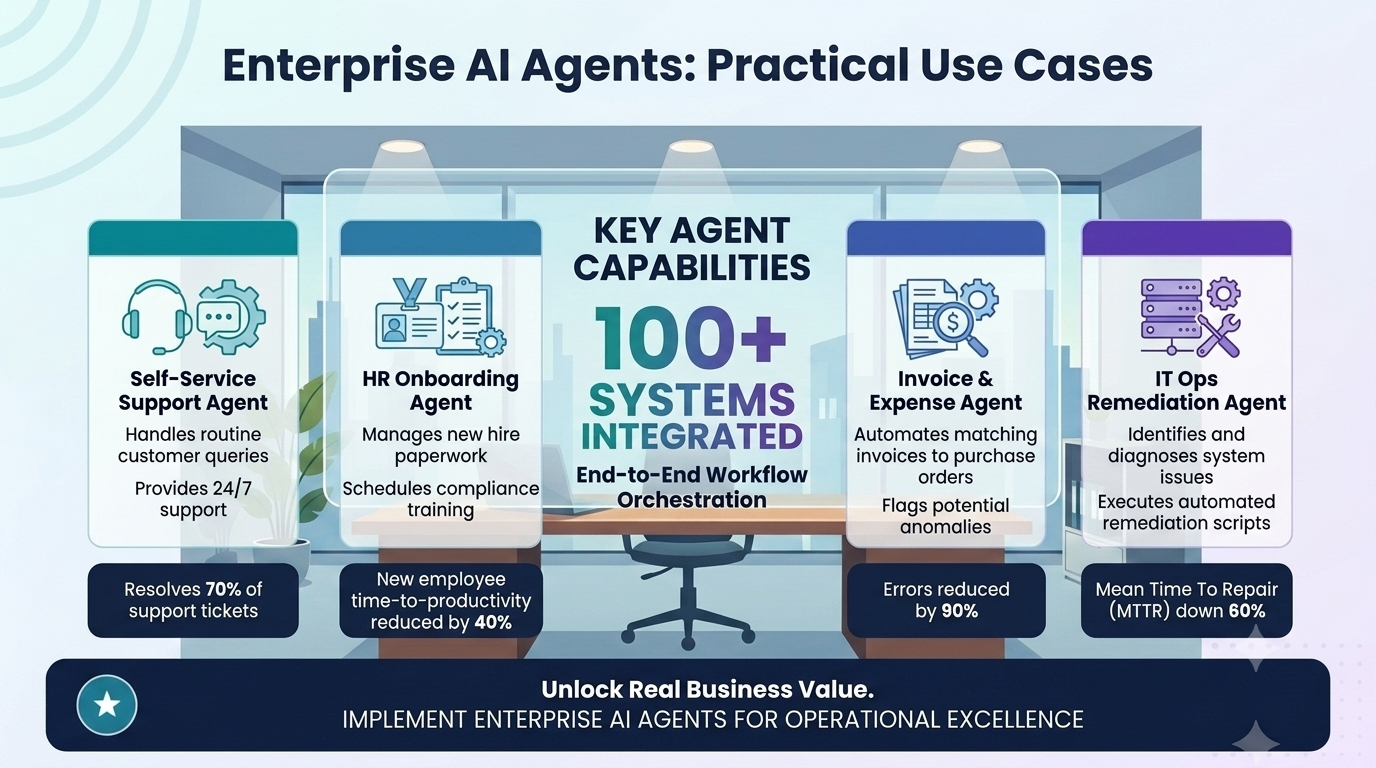
For mid-market organisations, the opportunity is not usually about replacing entire systems or suddenly rebuilding the company around AI. The real opportunity is more practical: using enterprise AI agents to reduce manual workload, improve coordination, accelerate decision-making, and automate repeatable workflows across existing systems.
A finance team may need help triaging invoice exceptions. A customer service team may need faster ticket routing and better escalation summaries. A compliance team may need support collecting evidence for audit readiness. A sales team may need better CRM hygiene, proposal preparation and handover workflows. These are not futuristic use cases. They are operational workflows where intelligent agents can already create measurable value when designed and implemented properly.
This article explains what enterprise AI agents are, how they differ from chatbots and traditional automation tools, and where mid-market businesses can use them across finance, operations, sales, HR, compliance and customer service. It also covers how agents connect to existing systems, why governance matters, and how to start with one high-value workflow rather than trying to automate everything at once.
Table of Contents
- What are enterprise AI agents?
- How AI agents differ from chatbots and automation tools
- Why enterprise AI agents matter for mid-market businesses
- Practical use cases for enterprise AI agents
- How agents connect to existing systems
- Governance, permissions and audit trails
- How to start with one high-value workflow
- How to measure ROI from enterprise AI agents
- How Greenhat can help
- Conclusion
- FAQs
What are enterprise AI agents?
Enterprise AI agents are software-based systems that use artificial intelligence to complete tasks, make decisions, coordinate workflows, retrieve information, generate outputs and interact with business systems under defined rules and permissions.
In simple terms, an AI agent is not just a tool that answers a question. It is a system that can be given a job to do.
For example, an enterprise AI agent might:
- Read incoming support tickets.
- Classify the issue type.
- Check customer account data.
- Search the knowledge base.
- Draft a response.
- Escalate urgent cases.
- Log the action in the help desk.
- Notify a manager if a service-level threshold is at risk.
That is different from a simple chatbot. A chatbot may answer a customer question. An enterprise AI agent can help move work through a business process.
The word “enterprise” is important. In a business context, agents need more than language capability. They need secure access to systems, role-based permissions, workflow rules, human approval steps, logging, auditability and integration with existing platforms.
A properly designed enterprise AI agent may combine several capabilities:
- Language understanding: interpreting emails, tickets, documents, policies or instructions.
- Information retrieval: finding relevant data from internal systems or knowledge bases.
- Classification: categorising requests, risks, documents or tasks.
- Generation: drafting emails, reports, summaries, proposals or recommendations.
- Decision support: recommending the next best action based on rules and data.
- Workflow orchestration: triggering tasks, approvals, notifications or updates.
- System integration: reading from and writing to CRMs, ERPs, finance systems, help desks, LMSs, databases or dashboards.
- Human-in-the-loop control: escalating exceptions or requesting approval before taking sensitive action.
For mid-market businesses, the strongest use cases are usually not abstract AI experiments. They are high-friction workflows where staff are already spending too much time reading, checking, copying, reconciling, chasing, routing, reporting or summarising.
How AI agents differ from chatbots and automation tools
Enterprise AI agents are often confused with chatbots, workflow automation platforms and AI assistants. There is overlap, but they are not the same.
Chatbots answer questions
A chatbot is usually interaction-focused. It may help users find information, ask questions, book appointments or navigate simple service pathways. Some chatbots are valuable, but many are limited because they sit at the edge of the business rather than inside the operational workflow.
Traditional automation follows rules
Traditional automation tools are useful when the workflow is predictable. For example:
- When a form is submitted, create a CRM record.
- When an invoice is approved, send it to accounting.
- When a lead reaches a certain status, notify sales.
These automations are powerful, but they struggle when the input is unstructured, incomplete or ambiguous.
Enterprise AI agents handle more complex work
Enterprise AI agents are useful where workflows involve documents, messages, judgement, exceptions, prioritisation or summarisation. They can interpret language, apply instructions, retrieve context and recommend or perform the next step.
The best implementation often combines all three layers:
- A user interface or chatbot for interaction.
- Workflow automation for predictable routing.
- AI agents for interpretation, generation, classification and decision support.
Why enterprise AI agents matter for mid-market businesses
Mid-market businesses often have enough operational complexity to benefit significantly from AI, but not always the internal engineering resources to build sophisticated AI systems themselves.
They commonly have:
- Multiple systems that do not fully talk to each other.
- Staff manually moving information between platforms.
- Reporting that depends on spreadsheets and recurring admin.
- Customer service teams dealing with repeated enquiries.
- Finance teams handling invoice exceptions and reconciliations.
- Sales teams struggling with CRM discipline.
- Compliance teams chasing documentation and evidence.
- Managers relying on delayed, incomplete or manually prepared reports.
Enterprise AI agents can help by working across these friction points.
The commercial value is rarely just “saving time”. The larger value often comes from:
- Faster turnaround times.
- Better quality control.
- Fewer missed tasks.
- Improved visibility.
- Reduced rework.
- Stronger compliance evidence.
- Better customer experience.
- More scalable operations.
- Better use of existing systems.
- Avoided headcount growth as volume increases.
For an established business, this matters because growth often creates coordination burden. As sales, customers, staff, products or compliance obligations increase, the business can become slower unless its systems and workflows improve.
Enterprise AI agents provide a way to increase operational capacity without simply adding more manual administration.
Practical use cases for enterprise AI agents
The strongest use cases for enterprise AI agents are workflows where work is repetitive but not entirely rule-based. These are workflows where humans currently read, interpret, check, decide, draft, route or summarise.
Below are practical examples across common business functions.
AI agents for finance teams
Finance teams often operate across email, accounting software, spreadsheets, approvals, supplier portals, expense systems and management reports. Much of the work involves checking, matching, chasing and explaining exceptions.
1. Accounts payable exception handling
Scenario: A mid-sized business receives hundreds or thousands of supplier invoices each month.
Problem: Staff spend time checking whether invoices match purchase orders, identifying missing information, chasing approvals and escalating exceptions.
AI-enabled solution: An AI agent reviews incoming invoices, extracts key information, compares the invoice against purchase order data, checks approval rules, identifies anomalies and routes exceptions to the right person.
Systems involved: Email inbox, accounting platform, ERP, document storage, approval workflow, supplier database.
Human oversight: Finance staff approve exceptions, unusual amounts, new suppliers or policy breaches.
Business outcome: Faster invoice processing, fewer manual checks, improved visibility over bottlenecks and reduced risk of missed or duplicate payments.
2. Expense policy compliance
An AI agent can review staff expense submissions against company policy. It may identify missing receipts, out-of-policy claims, duplicate submissions or unusual spending patterns.
Rather than finance manually reviewing every claim in the same way, the agent can classify expenses into:
- Low-risk claims suitable for fast approval.
- Claims requiring more information.
- Claims that appear outside policy.
- Claims requiring manager review.
The goal is not to remove finance oversight. The goal is to focus human attention where it matters.
3. Monthly close support
Many finance teams rely on recurring checklists during month-end close. An AI agent can help monitor close tasks, check whether reconciliations are complete, summarise outstanding items, chase responsible team members and prepare management-ready status updates.
This type of agent does not need to make final accounting judgements. It can create value by improving coordination, visibility and follow-through.
4. Revenue reconciliation
For businesses with multiple revenue sources, such as eCommerce, subscription billing, professional services or education platforms, reconciliation can be time-consuming.
An AI-enabled workflow may compare transactions across payment gateways, CRM records, invoices, bank feeds and internal databases, then flag mismatches for review.
AI agents for operations teams
Operations teams are often responsible for making work flow through the business. They deal with jobs, tasks, suppliers, inventory, service delivery, reporting, scheduling and exceptions.
1. Workflow triage and routing
Scenario: An operations team receives requests from customers, staff, suppliers and managers through email, forms and internal messages.
Problem: Requests are manually reviewed, categorised and assigned. Important items can be delayed or routed incorrectly.
AI-enabled solution: An AI agent reads incoming requests, classifies the task type, determines priority, checks business rules and routes the task to the correct team or person.
Systems involved: Email, forms, ticketing system, project management platform, CRM, internal knowledge base.
Human oversight: Managers review high-risk, urgent or ambiguous requests.
Business outcome: Faster response times, less manual sorting, clearer ownership and fewer missed tasks.
2. Supplier coordination
An AI agent can monitor supplier-related communication, identify delays, summarise open issues, draft follow-up emails and alert operations managers when delivery timelines are at risk.
This is especially useful where supplier coordination currently depends on staff reading long email threads or maintaining manual spreadsheets.
3. Job status reporting
For project-based or service delivery businesses, staff often spend significant time preparing status updates.
An AI agent can gather information from project management tools, timesheets, CRM notes and delivery systems, then produce a draft status report showing:
- Current stage.
- Completed tasks.
- Blockers.
- Overdue items.
- Budget or time concerns.
- Next actions.
The manager can then review, edit and approve the report before it is sent.
4. Resource planning support
AI agents can support resource planning by reviewing upcoming workload, staff availability, project timelines and known constraints. They can identify where teams may be over capacity and recommend scheduling adjustments.
This is not a replacement for management judgement. It is a decision-support layer that improves visibility.
AI agents for sales and revenue operations
Sales teams often lose time through poor CRM hygiene, slow proposal preparation, inconsistent follow-up and incomplete handovers from sales to delivery.
Enterprise AI agents can improve sales operations without replacing the relationship-driven work of salespeople.
1. Lead triage and qualification
An AI agent can review incoming leads, enrich them with available company information, classify fit, identify likely service needs and recommend next steps.
For example, the agent may assess:
- Company size.
- Industry.
- Location.
- Enquiry type.
- Budget indicators.
- Urgency.
- Strategic fit.
- Existing relationship history.
The agent can then route high-fit leads to senior sales staff and lower-fit enquiries to alternative nurture pathways.
2. CRM hygiene and follow-up support
CRM quality is a common problem in growing businesses. Salespeople are busy, and CRM updates often become inconsistent.
An AI agent can monitor CRM records and identify:
- Missing next steps.
- Deals without recent activity.
- Contacts missing key information.
- Proposals not followed up.
- Stale opportunities.
- Incomplete handover notes.
It can then draft reminders, update fields where appropriate, or prepare a weekly sales operations summary.
3. Proposal generation support
An AI agent can help prepare first-draft proposals by drawing from CRM notes, discovery call summaries, pricing rules, service descriptions and previous proposal templates.
A sensible workflow would still require human review before anything is sent to a prospect. The value lies in reducing drafting time and improving consistency.
4. Sales-to-delivery handover
Poor handovers create delivery risk. An AI agent can generate structured handover briefs from sales materials, including:
- Client objectives.
- Agreed scope.
- Key stakeholders.
- Risks and assumptions.
- Timeline expectations.
- Technical requirements.
- Commercial commitments.
- Open questions.
This helps reduce the gap between what was sold and what must be delivered.
AI agents for customer service and support
Customer service is one of the most practical areas for enterprise AI agents because support teams handle high volumes of repeated, semi-structured communication.
1. Ticket triage and escalation
Scenario: A support team receives a large number of customer tickets through a help desk.
Problem: Staff manually review each ticket, classify the issue, determine urgency and assign it to the right person.
AI-enabled solution: An AI agent reads each ticket, identifies the issue type, checks customer history, assesses urgency, suggests a response and escalates high-risk cases.
Systems involved: Help desk, CRM, customer database, knowledge base, product documentation.
Human oversight: Staff review responses, handle complaints, approve sensitive messages and manage escalations.
Business outcome: Faster first response, better prioritisation, improved consistency and reduced pressure on support staff.
2. Knowledge base response drafting
An AI agent can search internal support documentation and draft responses for common questions. The agent can include source references so support staff can verify the response before sending.
This is especially useful where the support team has good internal documentation but staff still spend time manually searching for the right answer.
3. Complaint summarisation
Complaints are often lengthy, emotional and complex. An AI agent can summarise complaint history, identify key issues, extract requested outcomes, detect sentiment and prepare a structured briefing for a manager.
This helps senior staff respond with better context and less preparation time.
4. Customer sentiment reporting
AI agents can analyse support interactions to identify recurring issues, emerging risks and customer sentiment trends. This can feed into executive dashboards, product improvement, training and service design.
AI agents for HR and people operations
HR teams manage large volumes of policy, communication, onboarding, training, performance and compliance-related administration.
1. Employee onboarding workflows
An AI agent can coordinate onboarding by checking whether required tasks are complete, sending reminders, answering common questions and preparing onboarding status reports.
It may work across:
- HRIS platforms.
- Document management systems.
- Learning management systems.
- IT ticketing tools.
- Payroll systems.
- Internal policy libraries.
The agent can help ensure new employees receive the right documents, training, system access and manager check-ins.
2. Internal policy Q&A
An AI agent can help staff ask questions about leave, expenses, remote work, training, code of conduct or internal procedures.
The key is that the agent should answer from approved internal policy documents, not from general internet knowledge. For sensitive topics, it should escalate to HR rather than provide definitive advice.
3. Training allocation and monitoring
For businesses with mandatory training requirements, an AI agent can identify which staff need training, assign relevant modules, monitor completion and notify managers of overdue items.
This is useful in regulated industries, healthcare, education, professional services and larger operational teams.
4. Performance review preparation
AI agents can help managers prepare for performance reviews by summarising goals, prior feedback, completed projects, training history and development areas.
Human judgement remains central. The agent simply reduces preparation time and helps managers have better-informed conversations.
AI agents for compliance, risk and audit readiness
Compliance is one of the strongest use cases for enterprise AI agents because it often involves evidence, documentation, recurring checks, policy alignment and deadline management.
1. Compliance evidence collection
Scenario: A regulated business must regularly demonstrate that policies, training, approvals, checks and records are up to date.
Problem: Evidence is scattered across systems, folders, spreadsheets and emails.
AI-enabled solution: An AI agent monitors required evidence, checks whether documents exist, identifies gaps, chases responsible owners and prepares an audit readiness summary.
Systems involved: Document management system, LMS, HRIS, CRM, compliance register, email, dashboards.
Human oversight: Compliance managers validate evidence and approve final reporting.
Business outcome: Reduced audit preparation burden, fewer missing records and stronger visibility over compliance gaps.
2. Policy monitoring
An AI agent can compare operational documents or procedures against approved policy requirements and flag inconsistencies.
For example, it may review whether internal procedures refer to outdated policy versions, missing approval steps or inconsistent terminology.
3. Regulatory deadline tracking
Many businesses manage recurring obligations manually. An AI agent can track deadlines, send reminders, identify incomplete actions and escalate overdue compliance tasks.
4. Risk exception reporting
AI agents can monitor operational data and identify exceptions requiring review. Examples include unusual transaction patterns, missing approvals, overdue safety checks, incomplete training records or repeated customer complaints.
AI agents for education and training providers
Education and training providers are often operationally complex. They manage students, learning content, assessments, compliance evidence, trainers, enrolments, reporting and student support.
1. Student support triage
An AI agent can review student support requests, classify the issue, identify urgency, check enrolment status and route the student to the right support pathway.
This may include academic support, technical support, administration, wellbeing support or escalation to a human advisor.
2. Assessment review support
AI agents can support assessment workflows by identifying incomplete submissions, summarising assessor feedback, detecting common learner errors and preparing academic support recommendations.
The agent should not replace appropriate educator judgement, but it can reduce administrative load and improve consistency.
3. Compliance evidence monitoring
Training providers often need to maintain evidence for quality assurance, assessment validation, trainer credentials, student progression and regulatory requirements.
An AI agent can monitor whether required documents are current, complete and linked to the correct course, unit, cohort or staff member.
4. Learner progress dashboards
AI agents can help convert raw learning data into actionable insights. For example, they can identify students at risk, summarise engagement patterns and recommend support actions for staff review.
How agents connect to existing systems
Enterprise AI agents are only useful if they can work with the systems where business activity actually happens.
For most mid-market businesses, this means connecting to platforms such as:
- CRM systems.
- ERP systems.
- Finance and accounting software.
- Help desk platforms.
- HRIS systems.
- Learning management systems.
- Document management systems.
- Project management tools.
- Databases.
- Email and calendar systems.
- Reporting dashboards.
- Cloud infrastructure.
- Custom web applications.
APIs are central to enterprise AI implementation
In many cases, AI agents connect to systems through APIs. APIs allow the agent to read data, update records, create tasks, trigger workflows or retrieve documents.
For example, a customer service agent may need to:
- Read a support ticket from the help desk.
- Retrieve the customer record from the CRM.
- Search the knowledge base.
- Draft a response.
- Create an escalation task if needed.
- Log the recommended action.
- Update a dashboard.
Without integration, the agent may be limited to giving advice. With integration, it can participate in the workflow.
Agents should not always have full system access
One of the most important design decisions is deciding what the agent is allowed to do.
For example:
- Can it read customer data?
- Can it update CRM records?
- Can it send emails directly?
- Can it approve expenses?
- Can it create invoices?
- Can it access sensitive HR information?
- Can it trigger external notifications?
- Can it delete or overwrite records?
In enterprise environments, it is often best to start with limited permissions. The agent may draft, recommend, classify or prepare actions, while humans approve sensitive steps.
Over time, permissions can be expanded where reliability, governance and business confidence are established.
Governance, permissions and audit trails
Enterprise AI agents need governance from the beginning. This is especially true when they interact with customer data, financial records, HR information, compliance evidence or operational systems.
Key governance questions
Before implementing an AI agent, businesses should ask:
- What data will the agent access?
- Which systems will it connect to?
- What actions can it perform?
- Which actions require human approval?
- Who is responsible for reviewing outputs?
- How will errors be detected and corrected?
- What logs will be kept?
- How will sensitive information be protected?
- What happens when the agent is unsure?
- How will performance be monitored over time?
Role-based permissions
Agents should operate under defined access controls. A finance agent should not have broad HR access. A customer service agent should not be able to view sensitive payroll information. A sales agent should not be able to approve legal terms without review.
Role-based permissions help ensure the agent only accesses the data and actions required for its workflow.
Human-in-the-loop review
Human-in-the-loop AI means people remain involved at critical points.
This is important where the workflow involves:
- Financial approval.
- Legal risk.
- Customer complaints.
- Employment matters.
- Regulatory obligations.
- High-value sales proposals.
- Sensitive customer information.
- Exceptions or low-confidence outputs.
The aim is not to make AI powerless. The aim is to design a practical control model where AI handles the repetitive work and humans retain oversight of judgement, accountability and exceptions.
Audit trails
Audit trails are essential for enterprise AI systems. They help answer questions such as:
- What data did the agent review?
- What output did it generate?
- What recommendation did it make?
- Who approved or changed the output?
- When was the action taken?
- Was there an exception?
- Did the agent fail or require escalation?
Without audit trails, AI systems can become difficult to trust, manage or improve. With audit trails, businesses can monitor performance, investigate issues and demonstrate appropriate control.
How to start with one high-value workflow
The best way to implement enterprise AI agents is usually not to start with a large, company-wide AI transformation. A better approach is to identify one high-value workflow where the business case is clear and the risk can be controlled.
Step 1: Identify the workflow or operational problem
Look for work that is:
- Slow.
- Manual.
- Repetitive.
- Expensive.
- Error-prone.
- Dependent on copying information between systems.
- Difficult to report on.
- Causing customer delays.
- Creating compliance risk.
- Consuming skilled staff time.
Good starting points often include support triage, invoice exceptions, CRM hygiene, document review, reporting preparation, compliance evidence collection or internal help desk workflows.
Step 2: Map the current process
Before designing an AI agent, map the current process in detail.
Identify:
- Inputs.
- Systems.
- People involved.
- Decisions required.
- Approval points.
- Exceptions.
- Outputs.
- Bottlenecks.
- Data sources.
- Failure points.
This matters because AI implementation is not simply a model selection exercise. It is workflow design.
Step 3: Assess AI suitability
Not every workflow needs AI. Some workflows are better solved with traditional automation, better system configuration or improved reporting.
AI is more suitable where the workflow involves:
- Reading documents.
- Interpreting messages.
- Summarising information.
- Classifying requests.
- Generating written outputs.
- Making recommendations.
- Searching internal knowledge.
- Handling semi-structured data.
- Coordinating across systems.
Step 4: Design the future-state workflow
Define exactly what the agent should do.
For example:
- What does the agent read?
- What does it classify?
- What does it generate?
- What systems does it access?
- What does it update?
- When does it escalate?
- What requires human approval?
- What happens if confidence is low?
- What logs are created?
This is where many AI projects succeed or fail. The technology may be capable, but if the workflow is unclear, the result will be unreliable.
Step 5: Integrate with existing systems
The agent should fit into the business environment. That may mean connecting to CRMs, ERPs, finance platforms, help desks, LMSs, databases, dashboards or cloud infrastructure.
This is where custom software, APIs and integration architecture become important.
Step 6: Build a small, testable first version
Start with a controlled version of the workflow. Use real examples, but limit scope.
For example, instead of automating all customer service, start with one category of support ticket. Instead of automating all finance workflows, start with invoice exception triage. Instead of building a company-wide AI assistant, start with a compliance evidence collection agent for one department.
Step 7: Add governance, logging and audit trails
Build controls into the first version. Do not leave governance until later.
Track:
- Inputs.
- Outputs.
- Decisions.
- Confidence levels.
- Human approvals.
- Overrides.
- Exceptions.
- Errors.
- Processing times.
Step 8: Measure ROI
Compare the new workflow against the old workflow.
Measure:
- Time saved.
- Faster turnaround.
- Reduced rework.
- Fewer errors.
- Lower support load.
- Improved compliance visibility.
- Better customer satisfaction.
- Increased staff capacity.
- Better reporting.
- Reduced bottlenecks.
Step 9: Scale responsibly
Once the first workflow is reliable, expand to adjacent workflows.
For example:
- Ticket triage can expand into response drafting.
- Invoice exception handling can expand into supplier follow-up.
- CRM hygiene can expand into proposal preparation.
- Compliance evidence collection can expand into audit reporting.
This creates a practical AI roadmap based on proven value.
How to measure ROI from enterprise AI agents
The ROI of enterprise AI agents should be measured in operational terms, not vague innovation language.
A simple example: if a workflow consumes 40 staff hours per week and an AI-enabled process reduces that by 50%, the business may recover roughly 20 hours per week for higher-value work. The value is not only labour saving. It may also include faster response times, fewer errors, better reporting and improved customer experience.
Common ROI drivers
Enterprise AI agents can create value through:
- Reduced manual administration.
- Faster processing times.
- Reduced errors.
- Less rework.
- Lower support volumes.
- Improved staff productivity.
- Better compliance readiness.
- Faster sales cycles.
- Better customer experience.
- Avoided headcount growth.
- More accurate reporting.
- Better use of existing systems.
- Improved management visibility.
ROI should be linked to the workflow
Avoid broad claims such as “AI will improve productivity by X%”. A stronger approach is to build the business case around a specific workflow. The more specific the workflow, the easier it is to measure value.
How Greenhat can help
Greenhat helps established businesses design, build and implement practical AI automation, intelligent agents, workflow systems, API integrations and cloud-based digital platforms.
Our strength is combining business process understanding with technical implementation. Enterprise AI agents are not just about selecting an AI model. They require workflow design, secure system integration, data access, permissions, user experience, cloud infrastructure, dashboards, testing, monitoring and ongoing support.
Greenhat can assist with:
- AI opportunity audits.
- Workflow mapping and future-state process design.
- Enterprise AI agent design.
- AI automation and intelligent workflow implementation.
- API and system integrations.
- Custom software development.
- AWS cloud architecture.
- Secure application development.
- Dashboards and business intelligence.
- Governance, permissions and audit trails.
- Ongoing optimisation and support.
For many businesses, the best first step is identifying a high-friction workflow where AI can create measurable operational value without requiring a complete system replacement.
Conclusion
Enterprise AI agents are most valuable when they are applied to real business workflows.
For mid-market businesses, the opportunity is not to chase AI for its own sake. The opportunity is to identify where staff are spending too much time reading, checking, copying, summarising, routing, reporting or chasing information across disconnected systems.
Well-designed enterprise AI agents can support finance, operations, sales, HR, compliance, customer service and education workflows. They can help businesses reduce manual workload, improve turnaround times, strengthen reporting, support compliance and scale operations without adding unnecessary complexity.
The key is to start practically. Choose one high-value workflow. Map the process. Define what the agent should do. Connect it to the right systems. Include human oversight. Build in governance and audit trails. Measure the result. Then expand responsibly.
That is where enterprise AI moves from experimentation to operational value.
FAQs
What are enterprise AI agents?
Enterprise AI agents are AI-enabled systems designed to perform business tasks across workflows and systems. They can interpret information, retrieve data, classify requests, generate outputs, recommend actions and trigger workflow steps. Unlike simple chatbots, enterprise AI agents are usually connected to internal systems and operate under defined permissions, governance rules and human oversight.
How are enterprise AI agents different from chatbots?
Chatbots usually answer questions or guide users through simple interactions. Enterprise AI agents can do more complex work, such as reviewing documents, checking system data, preparing reports, routing tasks, drafting responses, escalating issues and updating business systems. A chatbot may be one interface for an agent, but the agent is the workflow engine behind the task.
What business processes are best suited to AI agents?
AI agents are best suited to workflows that are repetitive, information-heavy and semi-structured. Examples include support ticket triage, invoice exception handling, compliance evidence collection, CRM hygiene, proposal preparation, onboarding coordination, document review, customer complaint summarisation and operational reporting. The best starting workflows are usually high-volume, time-consuming and easy to measure.
Can enterprise AI agents work with our existing systems?
Yes, in many cases enterprise AI agents can be designed to work with existing systems through APIs, databases, workflow tools or custom integrations. They may connect to CRMs, ERPs, help desks, accounting systems, HR platforms, LMSs, document repositories, dashboards and cloud infrastructure. The quality of integration is often what determines whether the agent is genuinely useful.
Do we need to replace our current software to use AI agents?
Usually, no. Many strong AI agent use cases involve improving workflows around existing systems rather than replacing core platforms. An agent may sit between systems, retrieve information, prepare outputs, route tasks or improve reporting. In some cases, system replacement may be appropriate, but most businesses should first assess whether AI can improve current workflows through integration and automation.
Are enterprise AI agents secure?
Enterprise AI agents can be secure if they are properly designed. Security depends on access controls, permissions, data handling, infrastructure, API security, audit logging, monitoring and human approval steps. Businesses should avoid giving agents broad access without clear controls. Sensitive workflows should include role-based permissions, human-in-the-loop review and clear audit trails.
What is human-in-the-loop AI?
Human-in-the-loop AI means people remain involved in important parts of the workflow. The AI may draft, classify, recommend or prepare an action, but a human reviews or approves sensitive decisions. This is important for financial approvals, customer complaints, HR matters, compliance reporting, legal risk and high-value business decisions.
How long does it take to implement an enterprise AI agent?
The timeline depends on the workflow complexity, system integrations, data quality, security requirements and approval processes. A narrow first version of an AI agent can often be scoped more quickly than a broad enterprise-wide project. Businesses should usually start with a controlled workflow, test with real examples, measure performance and expand once reliability is proven.
What is the ROI of enterprise AI agents?
ROI may come from reduced manual hours, faster turnaround times, fewer errors, less rework, improved customer experience, better compliance visibility and avoided headcount growth. The strongest ROI cases are linked to specific workflows. For example, if an AI agent reduces 40 hours of weekly manual processing to 20 hours, the business gains capacity while also improving speed and consistency.
Should we start with one workflow or a whole department?
Most businesses should start with one high-value workflow. This reduces risk, makes ROI easier to measure and allows the business to learn before scaling. Once the first agent is reliable, the organisation can expand into adjacent workflows or related departments. This is usually more effective than trying to launch a broad AI transformation program immediately.
How does Greenhat help with enterprise AI implementation?
Greenhat helps businesses identify AI opportunities, map workflows, design intelligent agents, build custom automations, integrate systems, create dashboards and deploy secure cloud-based solutions. The focus is practical implementation: designing AI-enabled systems that work inside real business operations, connect with existing platforms and create measurable value.