A leadership team may want to automate internal reporting. A finance team may want AI to assist with invoice processing. A customer service team may want intelligent ticket triage. A compliance team may want faster evidence collection. A sales team may want better CRM hygiene, proposal support or lead prioritisation.
The challenge is rarely whether AI can do something useful. The challenge is turning a promising AI idea into a reliable, secure and measurable business system.
That requires more than selecting a tool, testing a chatbot or asking staff to experiment with generic AI platforms. For established businesses, AI implementation needs structure. It needs workflow design, integration planning, data access, governance, user permissions, testing, measurement and a clear path from pilot to production.
A practical AI implementation roadmap helps executives move from interest to action. It provides a disciplined way to identify the right opportunities, design the right solution, reduce risk and measure commercial value.
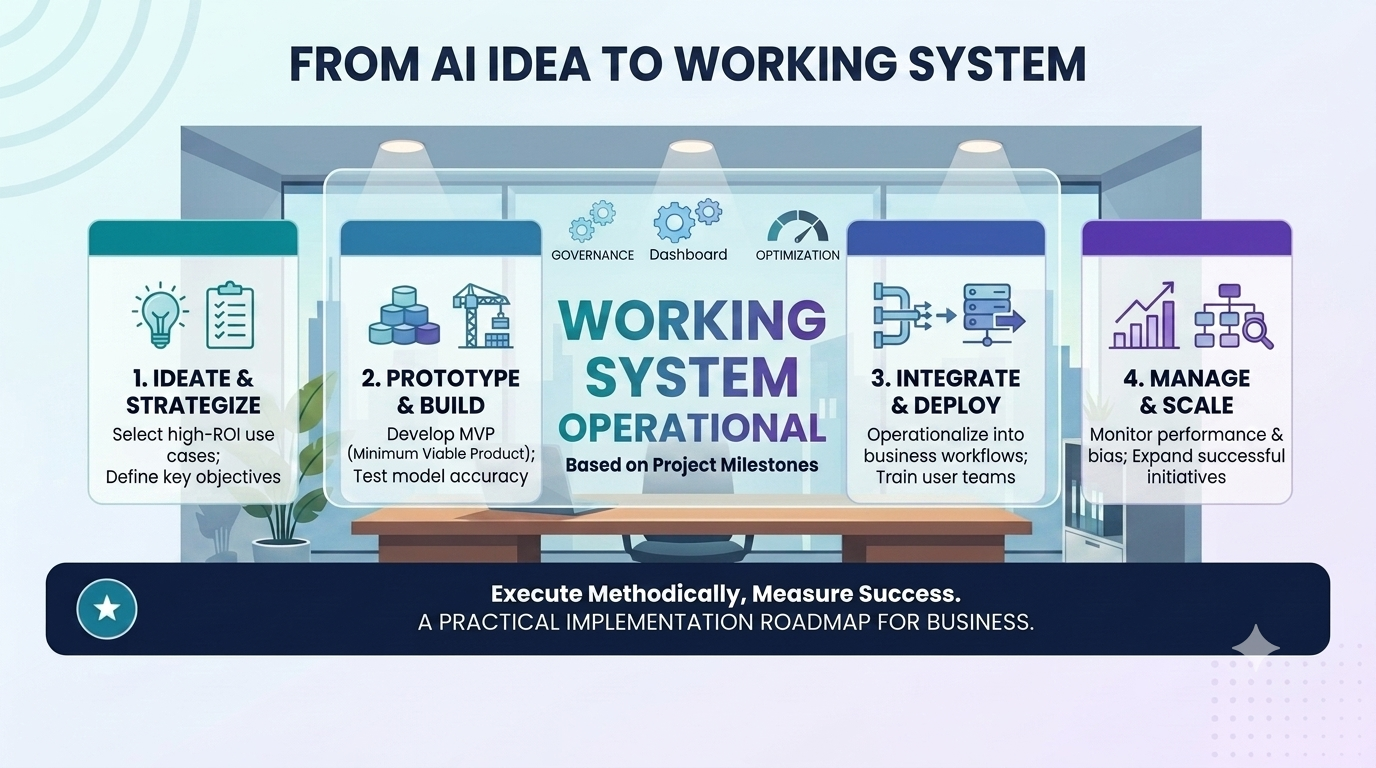
This article explains Greenhat’s preferred end-to-end implementation methodology for moving from AI idea to working system.
What is an AI implementation roadmap?
An AI implementation roadmap is a structured plan for taking an AI opportunity from initial idea through to a working, integrated and measurable business system.
In simple terms, it answers:
- What business problem are we solving?
- Which workflow will AI support or automate?
- What systems, data and people are involved?
- What should AI do, and what should humans still approve?
- How will the system be integrated?
- How will risks, permissions and audit trails be managed?
- How will ROI be measured?
- How will the solution scale safely?
For mid-sized and larger businesses, an AI implementation roadmap is essential because AI rarely operates in isolation. A useful AI system often needs to connect to CRMs, ERPs, finance systems, LMSs, databases, documents, email, dashboards, help desk tools and internal approval workflows.
Without a roadmap, AI projects can become disconnected experiments. With a roadmap, they become practical technology projects tied to operational outcomes.
Why AI implementation needs structure
AI implementation is different from simply buying a new piece of software.
Traditional software usually follows predictable rules. A user clicks a button, a system applies defined logic, and a known output is produced. AI systems can classify, summarise, generate, recommend, interpret and reason across unstructured information. That makes them powerful, but it also means they need careful design.
For business AI systems, structure matters because AI must operate within the realities of the organisation:
- Existing systems may not connect easily.
- Data may be incomplete, inconsistent or stored across multiple platforms.
- Staff may perform the same workflow differently.
- Compliance requirements may affect what can be automated.
- Some outputs may need human approval.
- Executives need to know whether the investment is producing value.
- Errors, exceptions and overrides need to be traceable.
A structured AI implementation roadmap reduces the risk of building something impressive but unusable.
It also helps avoid one of the most common mistakes in enterprise AI: starting with the tool instead of the workflow.
The better starting question is not, “Which AI platform should we use?”
It is, “Which business workflow is slow, expensive, repetitive, error-prone or constrained by manual effort — and could AI improve it in a measurable way?”
Step 1: Identify the business problem
Every effective AI implementation starts with a business problem, not an AI capability.
Executives may be interested in AI because competitors are discussing it, staff are using it informally, or vendors are promoting automation tools. But successful AI projects usually begin with a specific operational pain point.
Examples include:
- A finance team spending too much time reconciling invoices.
- A customer service team manually triaging support tickets.
- A sales team struggling with inconsistent CRM data.
- An operations team relying on spreadsheets for job status reporting.
- A compliance team manually collecting evidence for audits.
- An education provider reviewing large volumes of learning and assessment material.
- A management team waiting too long for accurate performance reports.
The first step in an AI implementation roadmap is to define the problem clearly enough that a solution can be designed around it.
Useful questions to ask
Executives and operational leaders should ask:
- What process is currently slow, manual or repetitive?
- Where do staff spend time copying, checking, summarising or chasing information?
- Which decisions are delayed because information is fragmented?
- Where do errors, rework or bottlenecks occur?
- Which workflows depend heavily on email, spreadsheets or manual approvals?
- What would improve if this workflow became faster, more accurate or more visible?
- How would we know if the AI implementation succeeded?
A vague goal such as “use AI in operations” is difficult to implement.
A specific goal such as “reduce manual invoice exception handling by 40% while improving visibility over approval delays” gives the project a practical direction.
Step 2: Map the workflow
Once the business problem is clear, the next step is workflow mapping.
AI cannot be implemented effectively into a process that no one properly understands. Many businesses discover during this stage that the workflow they thought was simple is actually spread across people, systems, documents, approvals and informal workarounds.
A good workflow map should identify:
- The trigger that starts the process.
- The people involved.
- The systems used.
- The data required.
- The decisions made.
- The documents or outputs created.
- The approval points.
- The exceptions.
- The handoffs between teams.
- The current reporting or visibility gaps.
This is where AI workflow design becomes central.
For example, a customer support workflow may involve:
- Customer submits a ticket through a help desk.
- Staff member reviews the request.
- Staff member checks the customer account in the CRM.
- Staff member searches previous cases.
- Staff member categorises urgency.
- Staff member responds or escalates.
- Manager reviews unresolved tickets.
- Weekly report is prepared manually.
An AI-enabled workflow might assist by classifying the ticket, summarising account context, suggesting a response, identifying urgency, recommending escalation and updating a dashboard.
But those improvements can only be designed once the current process is properly understood.
Current-state versus future-state workflow
Workflow mapping should include two versions:
| Workflow view | Purpose |
|---|---|
| Current-state workflow | Shows how work is currently performed, including manual steps, delays and system gaps. |
| Future-state workflow | Shows how the process should work with AI, automation, integrations and human review points. |
This distinction is important.
AI should not simply automate a poor process. In many cases, the process should be redesigned before AI is added.
Step 3: Assess AI suitability
Not every workflow needs AI.
Some workflows are better suited to traditional automation, better system configuration, improved reporting, process redesign or staff training. A practical AI implementation roadmap should assess whether AI is genuinely the right fit.
AI may be suitable when a workflow involves:
- Reading or interpreting unstructured text.
- Summarising documents, emails, notes or conversations.
- Classifying requests, records, risks or cases.
- Generating draft responses or reports.
- Extracting information from documents.
- Matching information across systems.
- Identifying patterns or anomalies.
- Supporting decisions with contextual information.
- Coordinating multi-step workflows across systems.
- Providing natural language access to business data.
Traditional automation may be better when the process is purely rules-based, stable and predictable.
For example:
| Business need | Likely approach |
|---|---|
| Send an invoice reminder 7 days after due date | Traditional automation |
| Categorise incoming invoices by type and exception risk | AI-assisted automation |
| Move data from one database field to another | System integration |
| Summarise customer complaint history before escalation | AI summarisation |
| Approve expenses under a fixed threshold | Rules-based workflow |
| Identify unusual expense claims for review | AI-assisted risk flagging |
| Generate a draft board report from operational dashboards | AI-assisted reporting |
The best AI implementation roadmap does not force AI into every step. It identifies where AI adds value and where simpler technology is more appropriate.
Step 4: Design the solution
Once the workflow and AI suitability are understood, the solution can be designed.
This stage defines what the AI-enabled system will actually do.
A well-designed AI solution should specify:
- The user roles.
- The workflow steps.
- The AI tasks.
- The system integrations.
- The data sources.
- The user interface.
- The approval points.
- The exception handling rules.
- The audit trail requirements.
- The reporting and dashboard outputs.
- The security and access controls.
- The success metrics.
This is where the AI idea becomes a system design.
Define what AI should and should not do
One of the most important design decisions is the boundary between AI action and human control.
For example, in a finance workflow, AI might:
- Read invoice data.
- Match invoices against purchase orders.
- Flag discrepancies.
- Draft an exception summary.
- Recommend an approval pathway.
- Update a dashboard.
But a human may still need to:
- Approve payment.
- Override exceptions.
- Investigate unusual supplier behaviour.
- Confirm policy interpretation.
- Handle high-value or high-risk cases.
This is known as human-in-the-loop AI.
For many enterprise workflows, human oversight is not a weakness. It is a design feature that improves trust, accountability and adoption.
Design for the user, not just the model
A common mistake in AI implementation is focusing too heavily on the model and not enough on the user experience.
The staff member using the system needs to understand:
- What the AI has done.
- What information it used.
- What it recommends.
- How confident the output is.
- What needs human review.
- What action to take next.
- How to correct or override the output.
If users do not trust or understand the system, adoption will suffer.
The best AI implementation roadmap includes interface design, workflow design and change management — not just model selection.
Step 5: Integrate systems
AI becomes far more valuable when it can work across existing business systems.
Many businesses already have the systems they need: CRM, ERP, LMS, finance software, help desk tools, document repositories, databases, dashboards, email, intranet and cloud infrastructure. The issue is that these systems often do not work together smoothly.
An AI implementation roadmap should identify which systems need to be connected and how information should move between them.
Common integration points include:
- CRM systems.
- ERP platforms.
- Accounting and finance software.
- Learning management systems.
- Help desk platforms.
- HR systems.
- Document management systems.
- Email inboxes.
- Internal databases.
- Data warehouses.
- Reporting dashboards.
- Cloud storage.
- Workflow automation platforms.
- Microsoft Teams or Slack.
Why integrations matter
Without integration, AI remains an isolated assistant.
With integration, AI can become part of the operating system of the business.
For example:
- A sales AI agent can review CRM records, draft proposal content and update deal stage data.
- A support AI agent can read ticket history, summarise customer issues and recommend escalation.
- A compliance AI workflow can collect evidence from documents, systems and staff submissions.
- An executive reporting assistant can draw from dashboards, databases and operational systems.
- An education provider can use AI to review learning materials, assessment documents and student progress data.
Integration is often where real business value is created.
It is also where technical experience matters. Secure API design, data permissions, authentication, error handling, logging and cloud architecture all affect whether an AI system can operate reliably in production.
Step 6: Build a controlled pilot
The safest way to implement AI is usually to start small.
A controlled pilot allows the business to test the workflow, validate the outputs, identify risks, measure value and improve the system before wider rollout.
This does not mean building a throwaway prototype. It means building a focused first version that is narrow enough to manage but real enough to evaluate.
A strong AI pilot should have:
- A clearly defined workflow.
- A limited user group.
- Known data sources.
- Defined permissions.
- Human review points.
- Logging and monitoring.
- Measurable success criteria.
- A feedback loop.
- A plan for improvement.
Example pilot scope
Instead of trying to automate the entire finance function, a business might begin with:
“AI-assisted invoice exception triage for one business unit, using supplier invoices, purchase order data and approval rules, with finance team review before any payment action.”
This is specific, testable and controlled.
The pilot can measure:
- Time saved per invoice.
- Reduction in manual checking.
- Accuracy of classification.
- Number of exceptions correctly flagged.
- Staff satisfaction.
- Approval turnaround time.
- Error rates.
- Auditability of decisions.
A controlled pilot reduces risk while producing evidence for further investment.
Step 7: Measure ROI
AI implementation should be tied to business value.
ROI does not need to be perfect at the pilot stage, but it should be measured well enough to support executive decision-making.
AI ROI may come from:
- Reduced manual hours.
- Faster turnaround times.
- Fewer errors.
- Less rework.
- Better reporting.
- Improved staff capacity.
- Better customer experience.
- Faster sales cycles.
- Reduced compliance burden.
- Avoided headcount growth.
- Better use of existing systems.
- Improved management visibility.
Simple AI ROI example
Suppose a workflow currently consumes 40 staff hours per week.
If an AI-enabled process reduces that workload by 50%, the business may recover approximately 20 hours per week.
That does not automatically mean the business saves the direct wage cost of 20 hours. In many cases, the recovered time is redirected to higher-value work.
The ROI may include:
- Faster processing.
- Reduced backlog.
- Better customer response times.
- Lower staff frustration.
- Fewer errors.
- Improved reporting.
- Greater capacity without hiring additional staff.
This is why AI ROI should be assessed at workflow level, not just by asking whether the system “replaces labour”.
Suggested ROI metrics
| ROI category | Example metric |
|---|---|
| Time saving | Hours reduced per week |
| Throughput | Number of cases processed per day |
| Quality | Error or rework reduction |
| Speed | Turnaround time improvement |
| Capacity | Additional volume handled without extra staff |
| Risk | Exceptions identified earlier |
| Reporting | Time to produce management reports |
| Customer experience | Faster response or resolution times |
| Staff experience | Reduced repetitive administrative load |
The key is to measure value before scaling.
Step 8: Scale responsibly
Once the pilot proves value, the business can decide whether to scale.
Scaling may involve:
- Adding more users.
- Expanding to more teams.
- Connecting additional systems.
- Automating adjacent workflow steps.
- Adding more advanced reporting.
- Improving the user interface.
- Increasing AI autonomy where appropriate.
- Extending governance and audit controls.
- Creating reusable AI components.
Responsible scaling means increasing scope only when reliability, security and business value are proven.
It also means maintaining control.
As AI systems become more embedded in operations, businesses need stronger governance. This includes clear ownership, ongoing monitoring, user training, incident handling and periodic review.
Scaling should follow evidence
A sensible scaling decision should be based on evidence such as:
- The pilot achieved measurable time savings.
- Users trust the outputs.
- Exceptions are manageable.
- Error rates are acceptable.
- Security controls are working.
- Audit trails are complete.
- Integration performance is reliable.
- ROI justifies further investment.
AI implementation should evolve from controlled use to broader operational adoption, not jump from experimentation to business-critical reliance too quickly.
Example AI implementation roadmap in practice
To make the roadmap more tangible, consider a mid-sized business with a customer support team handling a high volume of incoming requests.
Scenario
The business receives hundreds of support tickets each week. Requests arrive through email and a help desk platform. Some are simple. Some require account review. Some involve complaints, billing issues or technical escalation.
Problem
Support staff manually review each ticket, search account history, classify urgency, draft responses and decide whether to escalate. Managers receive weekly reports, but they are manually prepared and often lag behind current workload.
The business wants faster response times, better escalation, improved visibility and less repetitive administrative work.
AI-enabled solution
An AI-assisted support workflow could:
- Read incoming tickets.
- Classify the request type.
- Summarise the customer’s issue.
- Check account context from the CRM.
- Identify urgency or complaint risk.
- Draft a suggested response.
- Recommend escalation where needed.
- Update ticket fields.
- Feed a dashboard showing trends, volume, risk and response times.
Systems involved
The solution may connect to:
- Help desk platform.
- CRM.
- Customer database.
- Knowledge base.
- Email.
- Internal escalation workflow.
- Reporting dashboard.
- Cloud infrastructure.
Human oversight
- Support staff review AI-suggested responses before sending.
- Managers approve escalation rules and monitor exception reports.
- High-risk complaints, legal issues or sensitive matters remain human-managed.
Business outcome
The business may achieve:
- Faster ticket triage.
- More consistent categorisation.
- Reduced manual searching.
- Better complaint visibility.
- Faster escalation.
- Improved management reporting.
- More staff capacity for complex customer issues.
This is the difference between “using AI” and implementing an AI-enabled business system.
Governance, security and risk management
For established businesses, AI implementation must include governance from the beginning.
Security and risk should not be added after the pilot succeeds. They should be built into the roadmap.
Important governance considerations include:
Data privacy
AI systems should only access the information required for the workflow. Sensitive data should be protected, minimised where possible and handled according to business and regulatory requirements.
Role-based permissions
Not every user should have access to every AI capability or data source.
A finance user, sales user, manager and system administrator may each require different access levels.
Human-in-the-loop controls
High-risk workflows should include human approval points. AI may draft, classify, summarise or recommend, but humans may remain responsible for approval, escalation and final action.
Audit trails
Businesses should be able to trace:
- What information the AI used.
- What output it produced.
- Who reviewed it.
- Who approved it.
- Who overrode it.
- When the action occurred.
- What system changes were made.
Model output validation
AI outputs should be tested for accuracy, consistency and usefulness. Where required, validation rules, confidence thresholds or secondary checks may be used.
Secure cloud infrastructure
Enterprise AI systems often require secure hosting, API management, monitoring, authentication, logging, backup and infrastructure design. Cloud architecture should be aligned with the sensitivity and importance of the workflow.
Change management
AI implementation affects people, not just systems. Staff need to understand how the system works, what it is designed to do, where its limits are and how their role changes.
Governance is what allows businesses to adopt AI with confidence.
How Greenhat helps businesses move from concept to production
Greenhat helps established businesses design, build and implement practical AI automation, intelligent agents, workflow systems, API integrations and cloud-based digital platforms.
Our strength is not simply experimenting with AI tools. It is helping businesses move from an AI idea to a working system that fits their operations, integrates with their existing technology and creates measurable value.
Greenhat can assist with:
- AI opportunity audits.
- Workflow mapping and process redesign.
- AI implementation roadmap development.
- Custom AI automation and intelligent agents.
- Human-in-the-loop workflow design.
- API and system integrations.
- Secure AWS cloud infrastructure.
- Custom software and application development.
- Dashboards and business intelligence.
- Governance, audit logging and permissions.
- Pilot development and production rollout.
- Ongoing technical support and improvement.
For many businesses, the most valuable first step is not building an AI system immediately. It is identifying which workflows are worth improving and which opportunities are commercially, technically and operationally realistic.
Greenhat works with businesses to define that pathway clearly before moving into development.
Conclusion
AI can create significant value for established businesses, but only when it is implemented with structure.
A practical AI implementation roadmap helps move the conversation from broad interest to operational clarity. It identifies the business problem, maps the workflow, assesses AI suitability, designs the solution, integrates systems, builds a controlled pilot, measures ROI and scales responsibly.
The businesses that gain the most from AI are unlikely to be those that simply adopt the most tools. They will be the businesses that understand their workflows, connect their systems, manage risk and implement AI where it can produce measurable value.
For executives, the right starting point is simple:
Identify a high-friction workflow where manual effort, slow turnaround, poor visibility or repeated errors are constraining performance.
From there, a structured AI implementation roadmap can turn a useful idea into a working business system.
FAQs
What is an AI implementation roadmap?
An AI implementation roadmap is a structured plan for moving from an AI idea to a working business system. It usually includes problem definition, workflow mapping, AI suitability assessment, solution design, system integration, pilot development, ROI measurement, governance and scaling. For mid-sized and larger businesses, a roadmap is important because AI often needs to operate across existing systems, data sources, user roles and approval processes.
Why do AI projects need a roadmap?
AI projects need a roadmap because AI implementation can become fragmented without structure. Many businesses start by testing tools without clearly defining the workflow, integration requirements, risks or success metrics. A roadmap helps ensure the project is tied to a real business problem, designed around actual operations, implemented securely and measured against commercial outcomes.
What is the first step in implementing AI in a business?
The first step is to identify a specific business problem or workflow that could benefit from AI. This may be a slow, repetitive, error-prone or high-volume process. Examples include invoice handling, customer support triage, CRM updates, compliance evidence collection, internal reporting or document review. Starting with the problem helps ensure AI is used for practical value rather than experimentation alone.
How do we know whether a workflow is suitable for AI?
A workflow may be suitable for AI if it involves summarising, classifying, generating, extracting, interpreting or coordinating information. AI is often useful where work involves unstructured text, documents, emails, requests, cases or decisions that require context. However, purely rules-based tasks may be better handled by traditional automation or system configuration. A suitability assessment helps determine the right approach.
Should we start with one AI workflow or a whole department?
Most businesses should start with one well-defined workflow. A focused pilot is easier to test, govern and measure. Once the business has evidence that the AI-enabled workflow is reliable, useful and commercially valuable, it can scale to adjacent workflows or broader departmental use. Starting too broadly can increase risk, cost and complexity before the business has proven the model.
Can AI integrate with our existing systems?
Yes, in many cases AI can integrate with existing systems through APIs, databases, middleware, cloud services, workflow tools or custom software. Common systems include CRMs, ERPs, finance platforms, help desk tools, LMSs, document repositories, email, dashboards and internal databases. Integration is often what turns AI from a standalone tool into a practical business system.
How do we measure AI ROI?
AI ROI can be measured by comparing the performance of a workflow before and after implementation. Useful metrics include time saved, faster turnaround, reduced errors, lower rework, improved throughput, better reporting, reduced support load, improved customer experience and avoided headcount growth. ROI should be measured at workflow level, not only by direct labour reduction.
Is AI implementation secure?
AI implementation can be secure when it is designed with appropriate controls. These may include role-based permissions, secure cloud infrastructure, API security, data minimisation, human approval workflows, audit trails, monitoring and output validation. Security should be considered from the beginning of the AI implementation roadmap, not added after the system is already in use.
What is human-in-the-loop AI?
Human-in-the-loop AI means humans remain involved in reviewing, approving or overriding AI outputs. This is especially important for workflows involving financial decisions, compliance, customer complaints, HR, legal risk, sensitive data or high-value transactions. AI may assist with drafting, classification, summarisation or recommendations, while humans retain accountability for final decisions.
How long does AI implementation take?
The timeframe depends on the complexity of the workflow, the number of systems involved, data readiness, security requirements and whether the business is building a pilot or production system. A focused pilot for a narrow workflow is usually faster than a broader enterprise rollout. The most important factor is not speed alone, but building a reliable system that can be tested, measured and improved.
Do we need clean data before implementing AI?
Clean, structured data helps, but businesses do not always need perfect data before starting. Some AI workflows are designed to work with unstructured documents, emails, notes or records. However, data quality, access and consistency will affect reliability. A good AI implementation roadmap should assess what data exists, where it lives, who can access it and whether it is suitable for the intended workflow.
How does Greenhat help with AI implementation?
Greenhat helps businesses identify practical AI opportunities, map workflows, design AI-enabled systems, build custom automations, integrate existing platforms, implement secure cloud infrastructure and create dashboards for reporting and ROI measurement. Greenhat’s role is to help move AI from concept to production in a way that is commercially grounded, technically reliable and aligned with real business operations.