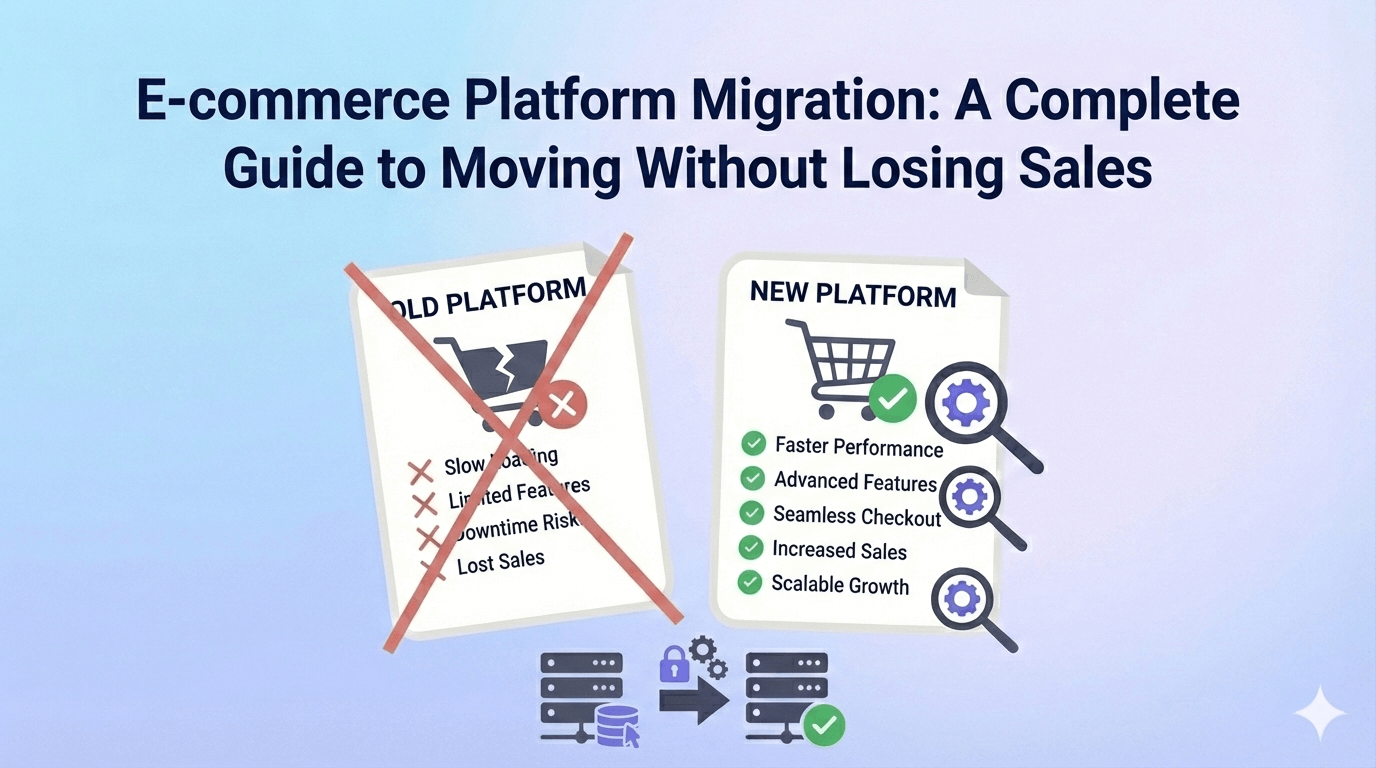
“We’re losing money every day our current platform can’t handle our growth.” This statement, from the CEO of a Brisbane-based outdoor equipment retailer, perfectly captures why eCommerce migrations are rarely optional. They’re business-critical moves driven by platform limitations, performance issues, or strategic pivots that can’t wait for perfect timing.
Yet eCommerce migration ranks among the most nerve-wracking projects any business undertakes. Unlike standard website migrations, eCommerce platforms manage inventory, process payments, maintain customer accounts, and handle complex integrations with accounting, shipping, and marketing systems. A single misconfiguration can halt sales, corrupt customer data, or create compliance violations.
The challenge isn’t just technical – it’s maintaining business operations whilst fundamentally changing the technology foundation that powers your revenue. After guiding dozens of eCommerce migrations across platforms like Shopify, WooCommerce, Magento, and custom solutions, we’ve developed a systematic approach that minimises risk whilst maximising the benefits of platform evolution.
Understanding Migration Triggers: When Change Becomes Inevitable
eCommerce migrations aren’t undertaken lightly. Understanding common triggers helps businesses recognise when migration planning should begin, allowing adequate preparation time rather than crisis-driven rushed implementations.
Performance and scalability limitations represent the most common migration driver. Platforms that handled modest traffic struggle with growth. Page load times increase, checkout processes become unreliable, and inventory management becomes cumbersome. These issues directly impact revenue and customer satisfaction.
Feature and functionality constraints drive migrations when business models evolve beyond platform capabilities. A B2B manufacturer might outgrow Shopify’s wholesale features, whilst a subscription service could require functionality beyond WooCommerce’s standard capabilities.
Cost escalation occurs as businesses grow within platforms with transaction-based pricing or expensive app ecosystems. Monthly platform costs that seemed reasonable at $10,000 monthly revenue become prohibitive at $100,000+ monthly sales.
Integration challenges emerge as businesses adopt sophisticated operational tools. ERP systems, advanced inventory management, or custom business processes may require platform changes to achieve seamless workflow integration.
Security and compliance requirements sometimes necessitate migrations, particularly for businesses entering regulated industries or expanding internationally. PCI compliance, GDPR requirements, or industry-specific security standards may exceed current platform capabilities.
Strategic business pivots require platform changes when companies shift business models, target markets, or operational approaches. A traditional retailer moving to marketplace selling or a B2C company expanding to B2B sales may require different platform capabilities.
Pre-Migration Assessment: Foundation for Success
Successful migrations begin with comprehensive assessment of current operations, technical architecture, and business requirements. This foundation prevents costly oversights and ensures the new platform genuinely addresses existing limitations.
Current Platform Audit
Performance baseline establishment: Document current page load times, checkout completion rates, server response times during peak traffic, and mobile performance metrics. These baselines guide platform selection and post-migration validation.
Functionality inventory: Catalogue all current features including product management capabilities, customer account features, checkout processes, reporting tools, and administrative functions. Understanding what works well prevents losing valuable functionality during migration.
Integration mapping: Document all current integrations including payment processors, shipping providers, inventory management systems, accounting software, marketing tools, and analytics platforms. Integration recreation often represents the most complex migration aspect.
Data analysis: Quantify current data volumes including product catalogues, customer records, order history, and digital assets. Large datasets require special migration planning and extended timelines.
Business process documentation: Map all operational workflows from order placement through fulfilment, customer service, and reporting. Understanding these processes ensures the new platform supports existing operations whilst enabling improvements.
New Platform Requirements Definition
Functional requirements prioritisation: List all desired functionality and categorise as essential, important, or nice-to-have. This prioritisation guides platform selection and prevents feature creep during implementation.
Performance targets: Define specific performance goals including page load times, concurrent user capacity, checkout completion rates, and mobile responsiveness standards.
Integration specifications: Detail all required integrations including data sync requirements, real-time versus batch processing needs, and API capabilities.
Scalability planning: Project growth expectations over 3-5 years including traffic increases, product catalogue expansion, and geographic market entry.
Budget allocation: Consider total cost including platform fees, development costs, integration expenses, migration services, and ongoing maintenance requirements.
Platform Selection Strategy: Matching Requirements to Capabilities
Platform selection significantly impacts migration success and long-term business growth. Each major platform offers distinct advantages and limitations that suit different business models and requirements.
Shopify: Simplicity and Ecosystem Strength
Optimal scenarios: Shopify excels for businesses prioritising ease of use, rapid deployment, and comprehensive app ecosystem access. Retail businesses with standard product catalogues, straightforward checkout processes, and growth-focused timelines benefit from Shopify’s streamlined approach.
Limitations to consider: Customisation constraints can limit unique brand experiences. Transaction fees add costs for high-volume businesses. Advanced B2B functionality requires premium plans or extensive app integration.
Migration considerations: Shopify’s structured approach simplifies data migration but may require workflow adjustments to match platform conventions. Template-based design might require significant customisation for unique brand presentation.
WooCommerce: Flexibility and WordPress Integration
Optimal scenarios: Businesses requiring extensive customisation, complex product configurations, or WordPress content management benefit from WooCommerce’s flexibility. Companies with technical teams or agencies capable of custom development can leverage WooCommerce’s open architecture.
Limitations to consider: Technical complexity increases maintenance requirements. Performance optimisation requires ongoing attention. Security management becomes your responsibility rather than platform-provided.
Migration considerations: WordPress familiarity eases content migration, but eCommerce functionality may require significant development work. Hosting requirements are more complex than hosted platforms.
Magento: Enterprise Features and Scalability
Optimal scenarios: Large catalogues, complex B2B requirements, multi-store operations, and enterprise integration needs align well with Magento’s comprehensive functionality. Businesses with dedicated technical teams can leverage Magento’s advanced capabilities.
Limitations to consider: Steep learning curves, high development costs, and significant hosting requirements. Magento requires substantial technical expertise for optimal performance and security.
Migration considerations: Magento’s complexity enables sophisticated migrations but requires expert implementation. Development timelines are typically longer than simpler platforms.
Custom eCommerce Solutions
Optimal scenarios: Unique business models, complex integration requirements, specific performance needs, or competitive differentiation through technology often justify custom development.
Limitations to consider: Higher initial costs, longer development timelines, ongoing maintenance requirements, and dependency on development expertise.
Migration considerations: Complete control over migration process but requires comprehensive planning and development resources.
Migration Planning: A Phased Approach to Risk Management
eCommerce migration success depends on systematic planning that addresses technical, operational, and business continuity challenges whilst maintaining sales throughout the transition.
Phase 1: Foundation and Planning (Weeks 1-4)
Team assembly: Establish project teams including technical developers, operations staff, marketing teams, and customer service representatives. Clear communication channels and decision-making authority prevent delays and confusion.
Timeline development: Create realistic timelines accounting for platform setup, data migration, integration development, testing phases, and buffer time for unexpected challenges. Rush migrations consistently encounter problems that cost more than extended timelines.
Risk assessment and mitigation: Identify potential issues including data loss, integration failures, checkout problems, and business disruption. Develop specific mitigation strategies for each identified risk.
Communication strategy: Plan internal team communication, customer notification timelines, and stakeholder updates throughout the migration process.
Phase 2: Platform Setup and Development (Weeks 5-12)
Platform configuration: Set up the new platform including basic settings, payment processors, shipping configurations, tax settings, and administrative access controls.
Design implementation: Develop the new website design, ensuring mobile responsiveness, brand consistency, and improved user experience whilst maintaining familiar navigation patterns.
Custom development: Build any custom functionality including unique features, complex product configurations, or specialised integrations that extend platform capabilities.
Integration development: Connect all required third-party services including inventory management, accounting systems, marketing tools, and operational software.
Phase 3: Data Migration and Testing (Weeks 13-16)
Data migration strategy: Develop systematic approaches for transferring product catalogues, customer accounts, order history, and digital assets whilst maintaining data integrity and relationships.
Testing protocols: Implement comprehensive testing including functionality verification, performance testing, security validation, and user acceptance testing.
Staff training: Train all team members on the new platform including administrative functions, order processing, customer service tools, and reporting capabilities.
Soft launch preparation: Prepare for limited testing with select customers or product categories before full platform launch.
Phase 4: Launch and Optimisation (Weeks 17-20)
Go-live execution: Execute the migration during low-traffic periods with full team availability for immediate issue resolution.
Performance monitoring: Closely monitor website performance, checkout completion rates, error rates, and customer feedback during the critical first weeks.
Issue resolution: Rapidly address any problems including functionality gaps, integration issues, or user experience problems that emerge after launch.
Optimisation implementation: Fine-tune performance, adjust configurations based on real-world usage, and implement improvements identified during initial operation.
Data Migration: Preserving Business History and Customer Relationships
Data migration represents the highest-risk aspect of eCommerce transitions. Customer trust, business intelligence, and operational continuity depend on accurately transferring complex, interconnected datasets whilst maintaining integrity and accessibility.
Customer Data Migration
Account information transfer: Migrate customer profiles including contact information, preferences, and account settings whilst ensuring password security and account accessibility.
Order history preservation: Maintain complete order records including purchase history, payment information, shipping details, and return records. This data supports customer service and business analysis.
Customer segmentation maintenance: Preserve marketing segments, loyalty program status, and customer classifications that drive personalisation and marketing campaigns.
Privacy compliance: Ensure data migration complies with GDPR, Privacy Act, and other applicable regulations including customer consent management and data retention policies.
Product Catalogue Migration
Product information transfer: Migrate comprehensive product data including descriptions, specifications, pricing, inventory levels, and categorical organisation whilst improving data quality.
Image and media migration: Transfer product images, videos, and documents whilst optimising for performance and implementing responsive image strategies.
SEO preservation: Maintain product URLs, meta descriptions, and search engine optimisation elements to prevent traffic loss during migration.
Inventory synchronisation: Coordinate inventory data migration with operational systems to prevent overselling or stock discrepancies during transition.
Order and Financial Data
Transaction history: Transfer complete order records including payment information, shipping details, tax calculations, and refund history for customer service and accounting purposes.
Financial reconciliation: Ensure financial data integrity including payment processor relationships, tax reporting requirements, and accounting system synchronisation.
Subscription management: For businesses with recurring billing, migrate subscription data including payment schedules, billing history, and customer preferences.
Content and SEO Migration
Content preservation: Transfer blog posts, landing pages, FAQs, and other content whilst implementing improved information architecture and user experience.
URL structure planning: Plan URL redirects to maintain search engine rankings whilst implementing improved URL structures for better SEO and user experience.
Meta data migration: Transfer SEO elements including meta descriptions, title tags, and structured data markup whilst implementing optimisations.
Integration Strategy: Connecting Your eCommerce Ecosystem
Modern eCommerce operations depend on sophisticated integrations connecting platforms with inventory management, accounting, shipping, marketing, and customer service systems. Migration success requires recreating these connections whilst often improving efficiency and functionality.
Core System Integrations
Inventory management synchronisation: Establish real-time inventory sync with warehouse management systems, preventing overselling whilst enabling accurate stock level display across sales channels.
Accounting system connectivity: Connect with accounting software including automated order sync, payment reconciliation, tax reporting, and financial dashboard integration.
Shipping and fulfilment integration: Integrate with shipping providers including rate calculation, label printing, tracking information, and automated fulfilment workflows.
Customer relationship management: Connect CRM systems including customer data sync, sales tracking, marketing automation, and customer service tool integration.
Marketing and Analytics Integration
Email marketing connectivity: Integrate marketing platforms including customer segmentation, abandoned cart recovery, post-purchase automation, and lifecycle marketing campaigns.
Analytics implementation: Connect Google Analytics, Facebook Pixel, and other tracking tools whilst implementing enhanced eCommerce tracking and conversion optimisation.
Social media integration: Connect social selling platforms including Facebook Shop, Instagram Shopping, and social media advertising pixel implementation.
Review and reputation management: Integrate review platforms including automated review requests, reputation monitoring, and feedback management tools.
Payment and Security Integration
Payment processor setup: Configure payment gateways including credit card processing, alternative payment methods, international payment options, and fraud prevention tools.
Security tool integration: Implement security monitoring, SSL certificate management, backup systems, and compliance monitoring tools.
Tax calculation services: Connect tax calculation services for accurate tax collection across multiple jurisdictions including automated reporting and remittance.
Testing Strategy: Validating Migration Success
Comprehensive testing prevents costly post-launch problems whilst ensuring the new platform delivers expected improvements in functionality and performance.
Functional Testing Protocols
Core eCommerce functionality: Test product browsing, search functionality, cart management, checkout processes, account management, and administrative functions across all user types and scenarios.
Payment processing validation: Test all payment methods including credit cards, digital wallets, buy-now-pay-later options, and international payment processing across different transaction sizes and scenarios.
Integration testing: Verify all third-party integrations including inventory sync, accounting updates, shipping calculations, and marketing tool connectivity.
Mobile responsiveness: Test complete user journeys on mobile devices including browsing, purchasing, account management, and customer service interactions.
Performance Testing
Load testing: Verify website performance under expected traffic loads including peak shopping periods, promotional campaigns, and concurrent user scenarios.
Speed optimisation: Measure and optimise page load times, particularly for product pages, category browsing, and checkout processes that directly impact conversion rates.
Checkout process optimisation: Test checkout completion rates, identify friction points, and optimise for maximum conversion whilst maintaining security.
User Acceptance Testing
Staff training and validation: Ensure all team members can effectively use administrative functions, process orders, manage customer service, and access reporting tools.
Customer journey testing: Test complete customer experiences including new account creation, repeat purchases, customer service interactions, and return processes.
Content and SEO validation: Verify content accuracy, SEO element preservation, and search functionality across the complete website.
Launch Strategy: Minimising Risk During Go-Live
The migration launch requires careful timing, comprehensive monitoring, and rapid response capabilities to address any issues that emerge during the critical transition period.
Pre-Launch Preparation
Timing selection: Choose launch timing during low-traffic periods whilst ensuring full team availability for immediate issue resolution. Avoid launches during peak shopping seasons or promotional periods.
Backup and rollback planning: Prepare comprehensive backup strategies including database snapshots, file backups, and rollback procedures if critical issues require reverting to the previous platform.
Communication planning: Prepare customer communications including advance notice, launch announcements, and potential issue notifications with clear timelines and expectations.
Team readiness: Ensure all team members understand their roles during launch including monitoring responsibilities, issue escalation procedures, and customer communication protocols.
Go-Live Execution
Progressive rollout: Consider phased launches including soft launches to limited audiences, geographic rollouts, or product category migrations to identify and resolve issues before full deployment.
Real-time monitoring: Monitor website performance, error rates, checkout completion, payment processing, and integration functionality with immediate alert systems for critical issues.
Customer support readiness: Prepare customer service teams with migration information, common issue resolutions, and escalation procedures for technical problems.
Issue response protocols: Establish clear procedures for identifying, prioritising, and resolving issues including development team availability and decision-making authority.
Post-Launch Optimisation
Performance analysis: Monitor key performance indicators including conversion rates, average order values, checkout completion rates, and customer satisfaction metrics.
Issue resolution: Address any problems identified during initial operation including functionality gaps, integration issues, or user experience improvements.
Continuous improvement: Implement ongoing optimisation based on real-world usage data including performance improvements, feature additions, and user experience enhancements.
Case Study: Successful Migration from Shopify to Custom Platform
To illustrate these principles in practice, consider the migration of a Brisbane-based outdoor equipment retailer experiencing rapid growth that outpaced Shopify’s capabilities.
Business Context and Challenges
The retailer had grown from $50,000 to $2.5 million annual revenue over four years, selling camping gear, hiking equipment, and outdoor accessories. Their success created platform challenges including transaction fee costs approaching $5,000 monthly, complex B2B pricing requirements Shopify couldn’t accommodate, and integration limitations with their warehouse management system.
Performance issues during peak periods caused lost sales, whilst limited customisation options prevented implementing competitive features like equipment rental management and adventure trip booking integration.
Migration Strategy and Implementation
Platform selection: After evaluating options, custom development using Laravel provided the flexibility needed for complex B2B pricing, rental management, and warehouse integration whilst supporting their growth trajectory.
Timeline planning: The project required 6 months including 2 months planning, 3 months development, and 1 month testing and launch preparation. This timeline accommodated their seasonal business patterns whilst avoiding peak shopping periods.
Data migration approach: They migrated 8,500 products, 12,000 customer accounts, and three years of order history whilst maintaining operational continuity. Custom scripts handled complex product configurations and customer pricing tiers.
Integration development: New integrations included warehouse management system connectivity for real-time inventory, B2B customer portals with custom pricing, equipment rental management, and adventure trip booking functionality.
Results and Business Impact
Performance improvements: Page load times decreased from 4.2 seconds to 1.8 seconds, checkout completion rates increased from 68% to 84%, and mobile performance improved significantly.
Cost reduction: Eliminating transaction fees saved $5,000+ monthly whilst improved efficiency reduced administrative overhead by approximately 15 hours weekly.
Feature expansion: New B2B capabilities increased wholesale revenue by 40% within six months, whilst rental management added a new revenue stream generating $25,000 in the first quarter.
Operational efficiency: Warehouse integration eliminated manual inventory updates, reducing errors by 90% whilst enabling real-time stock visibility across all sales channels.
Lessons Learned
Planning importance: The 6-month timeline proved essential for addressing complex requirements without rush-induced problems. Earlier migration attempts failed due to inadequate planning time.
Team involvement: Including warehouse staff and customer service representatives in planning prevented operational disconnects that previous migrations experienced.
Phased approach: Launching B2B features after core migration stabilised prevented overwhelming complexity whilst delivering immediate business value.
Ongoing optimisation: Post-launch improvements based on real-world usage delivered additional performance gains and feature refinements that enhanced the investment value.
Cost Planning and ROI Analysis
eCommerce migration represents significant investment requiring careful cost planning and realistic ROI projections to ensure business value.
Direct Migration Costs
Platform development: Custom development typically costs $25,000-$150,000 depending on complexity, whilst platform-based migrations range from $10,000-$50,000 including customisation and setup.
Data migration services: Professional data migration typically costs $3,000-$15,000 depending on data volume and complexity, whilst DIY approaches require significant time investment.
Integration development: Third-party integrations cost $2,000-$10,000 each for standard connections, whilst custom integrations may require $5,000-$25,000+ depending on complexity.
Testing and launch support: Professional testing and launch support typically costs $5,000-$20,000 including performance testing, security validation, and go-live assistance.
Ongoing Cost Considerations
Platform fees: Hosted platforms charge monthly fees plus transaction costs, whilst custom solutions require hosting and maintenance expenses.
Maintenance and updates: Platform-based solutions require ongoing theme and plugin updates, whilst custom solutions need development maintenance and feature additions.
Training and adoption: Team training costs including learning new administrative interfaces, processes, and tools.
ROI Calculation Framework
Revenue impact analysis: Calculate potential revenue increases from improved performance, better user experience, new features, and operational efficiency improvements.
Cost reduction opportunities: Factor savings from eliminated transaction fees, reduced administrative overhead, improved inventory management, and automated processes.
Competitive advantage value: Consider long-term business value from improved capabilities, scalability, and market positioning that migration enables.
Risk mitigation value: Calculate the cost of maintaining status quo including lost sales from poor performance, missed opportunities from feature limitations, and competitive disadvantage.
Common Pitfalls and How to Avoid Them
Learning from common migration failures prevents costly mistakes and ensures successful transitions.
Planning and Preparation Failures
Insufficient requirements analysis: Rushing into platform selection without comprehensive requirements analysis leads to selecting platforms that don’t meet actual business needs.
Unrealistic timelines: Underestimating migration complexity leads to rushed implementations that create problems requiring expensive fixes.
Inadequate testing: Skipping comprehensive testing saves time initially but creates costly problems after launch when issues are much more expensive to resolve.
Technical Implementation Issues
Data integrity problems: Poor data migration planning results in lost customer information, corrupted order history, or inventory discrepancies that damage customer trust and operational efficiency.
Integration failures: Inadequate integration planning causes business process disruptions, inventory sync problems, and operational inefficiencies that affect daily operations.
Performance problems: Failing to optimise for performance results in slow websites that damage conversion rates and customer satisfaction.
Business Continuity Risks
Communication failures: Poor customer communication creates confusion, lost sales, and customer service problems that could be avoided with proper planning.
Staff preparation gaps: Inadequate team training creates operational problems when staff can’t effectively use new systems during critical launch periods.
Rollback planning omissions: Failing to plan for potential rollback scenarios leaves businesses vulnerable if critical issues emerge after launch.
Future-Proofing Your eCommerce Platform
Migration represents an opportunity to build sustainable competitive advantages that support long-term business growth.
Scalability Planning
Traffic growth preparation: Ensure platform architecture can handle projected traffic increases without performance degradation or expensive emergency upgrades.
Feature expansion capability: Choose platforms and development approaches that support future feature additions without requiring complete rebuilds.
Geographic expansion support: Consider international expansion requirements including multi-currency support, localisation capabilities, and international payment processing.
Technology Evolution Adaptation
API-first architecture: Implement API-first approaches that enable easier integrations and platform evolution as business requirements change.
Mobile-first design: Prioritise mobile user experience as mobile commerce continues growing whilst ensuring desktop functionality remains excellent.
Performance optimisation: Build performance considerations into platform architecture rather than addressing them as afterthoughts.
Conclusion: Strategic Migration for Competitive Advantage
eCommerce platform migration represents more than technology change – it’s strategic business evolution that affects customer experience, operational efficiency, and competitive positioning. Success requires systematic planning, realistic timelines, and comprehensive execution that balances technical requirements with business continuity.
The businesses that thrive after migration are those that view the process as opportunity for operational improvement, competitive differentiation, and scalable growth foundation rather than simply technology replacement.
Whether migrating to address current limitations or prepare for future growth, the principles remain consistent: thorough planning, systematic execution, comprehensive testing, and continuous optimisation deliver results that justify the investment whilst positioning businesses for sustained success.